Myne
Features

What is actually in it.

Myne is a markdown notebook with encryption underneath it, not a note-taking app with a privacy badge added later. Seven surfaces, and the limits that matter are stated where they apply.

Read on ↓
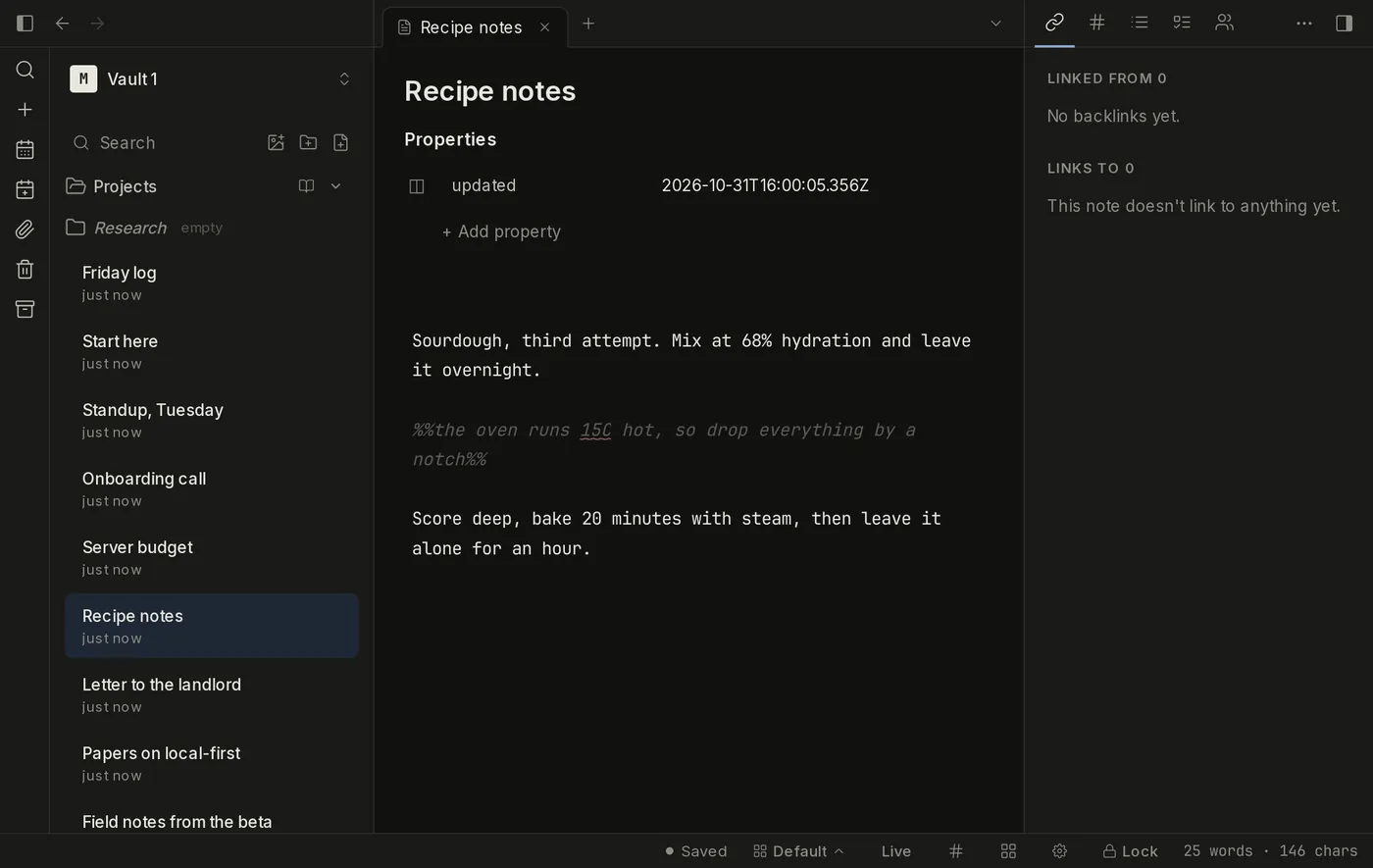
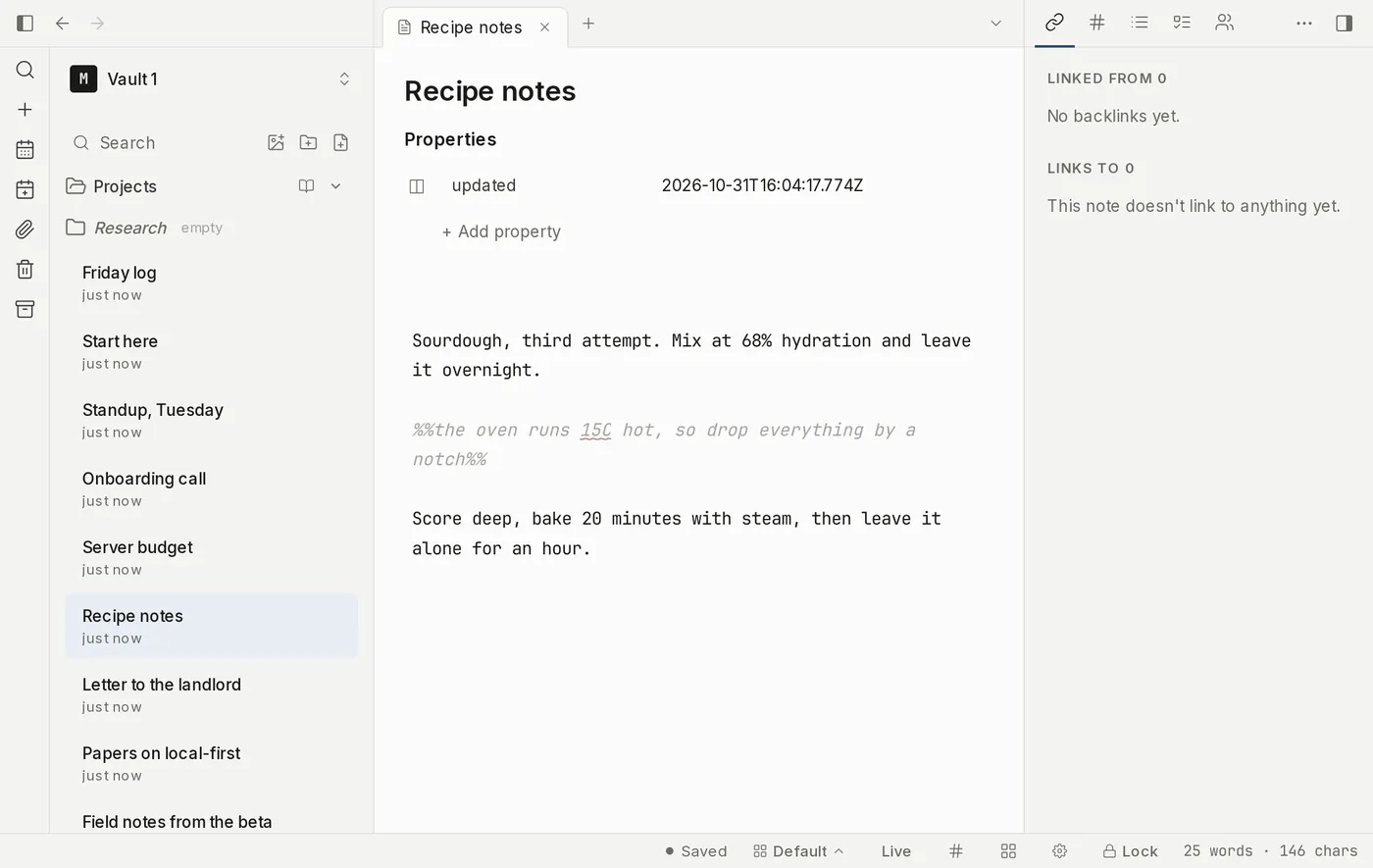
A note open in the Myne editor with an inline comment dimmed beside the sentence it sits in, and the note list down the left side. A note open in the Myne editor with an inline comment dimmed beside the sentence it sits in, and the note list down the left side.
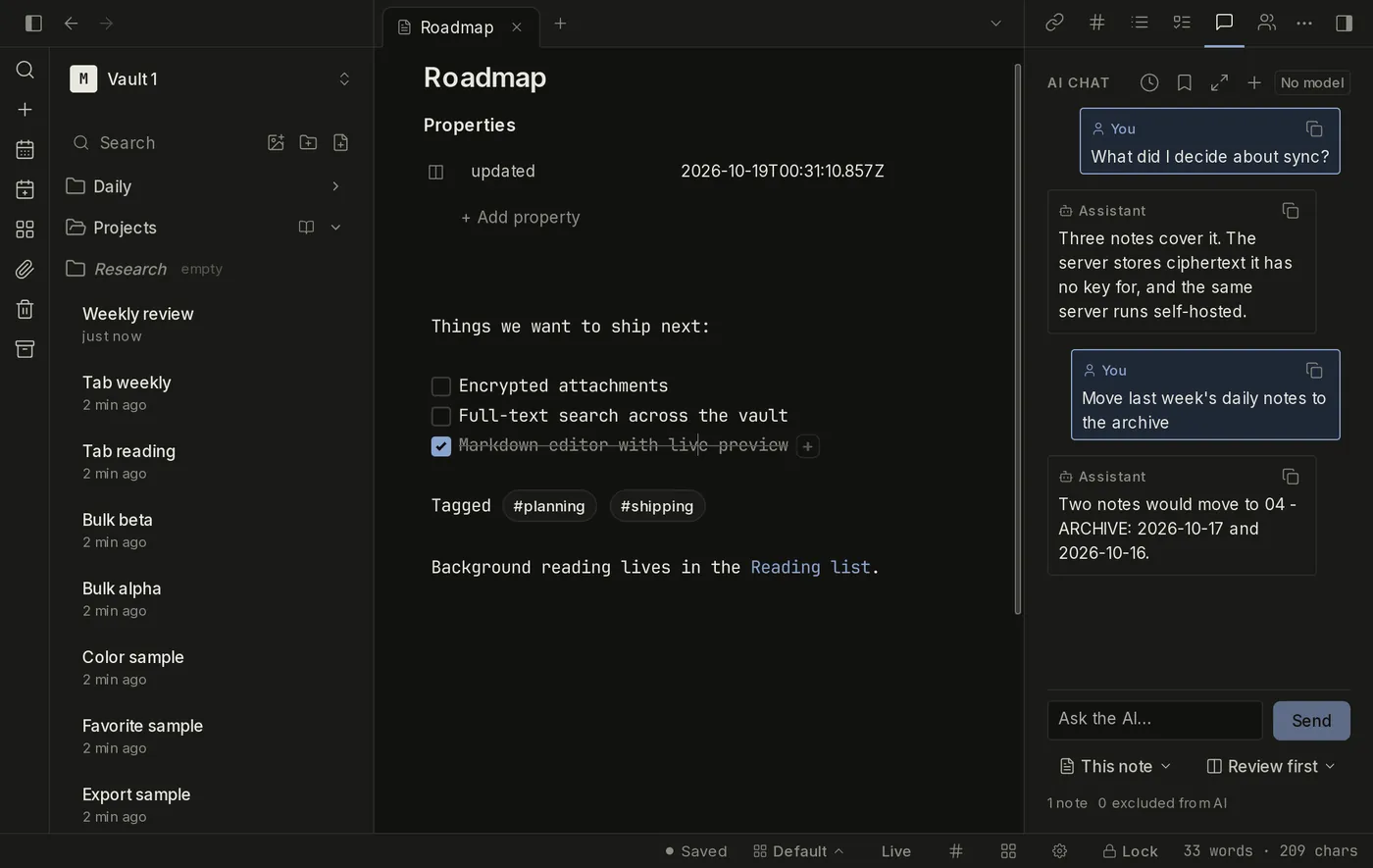
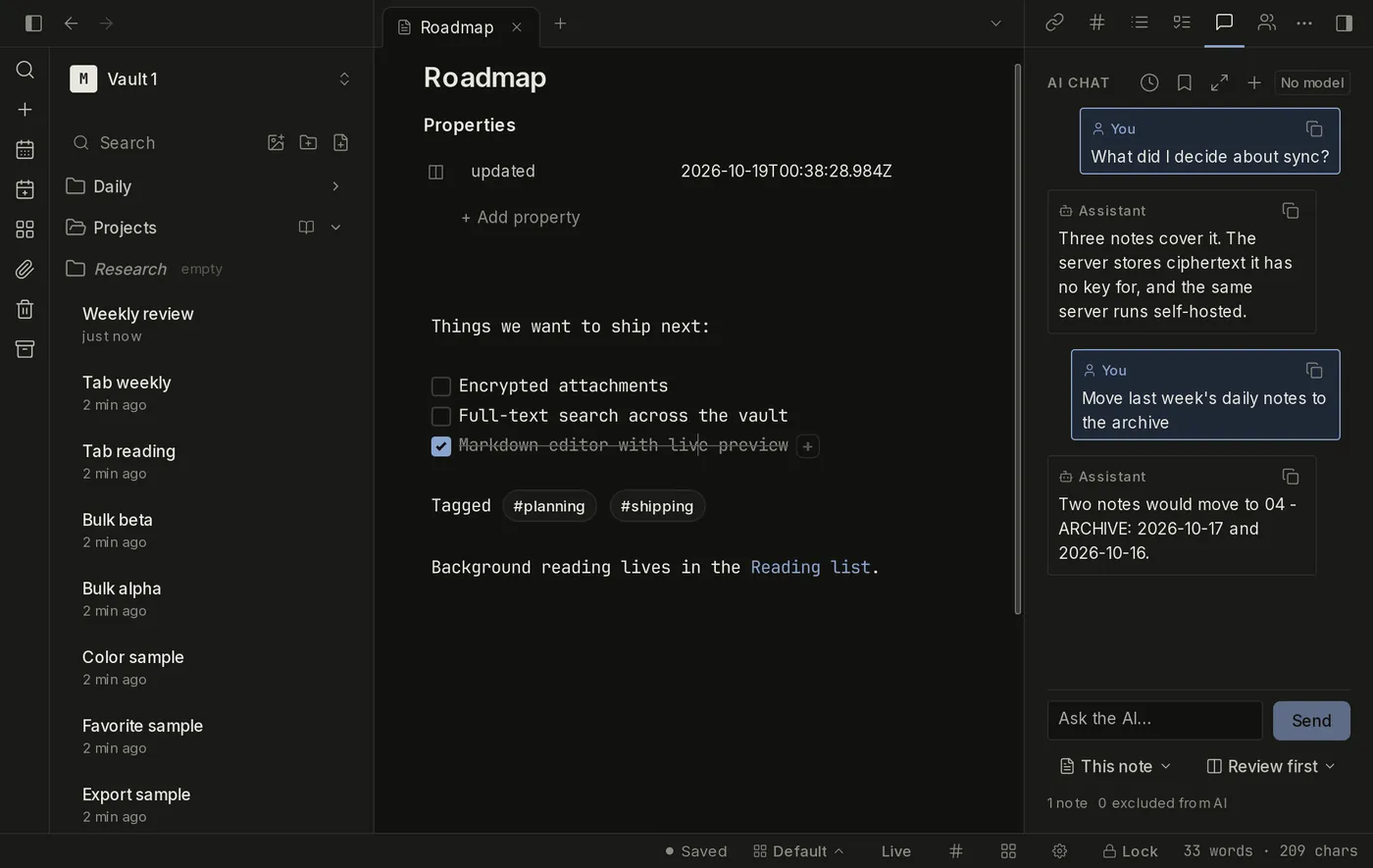
The assistant working inside a vault: a question about sync, its answer, then a request to move two notes answered with a proposed change waiting for approval. The assistant working inside a vault: a question about sync, its answer, then a request to move two notes answered with a proposed change waiting for approval.
rec 42:18 new note
microphone
this device
system audio
macOS 14.2 and later
transcript · written here

You Can we ship the sync change this week?

Ana Not until the migration runs on a real vault.

audio attached · note saved on this device · nothing sent anywhere

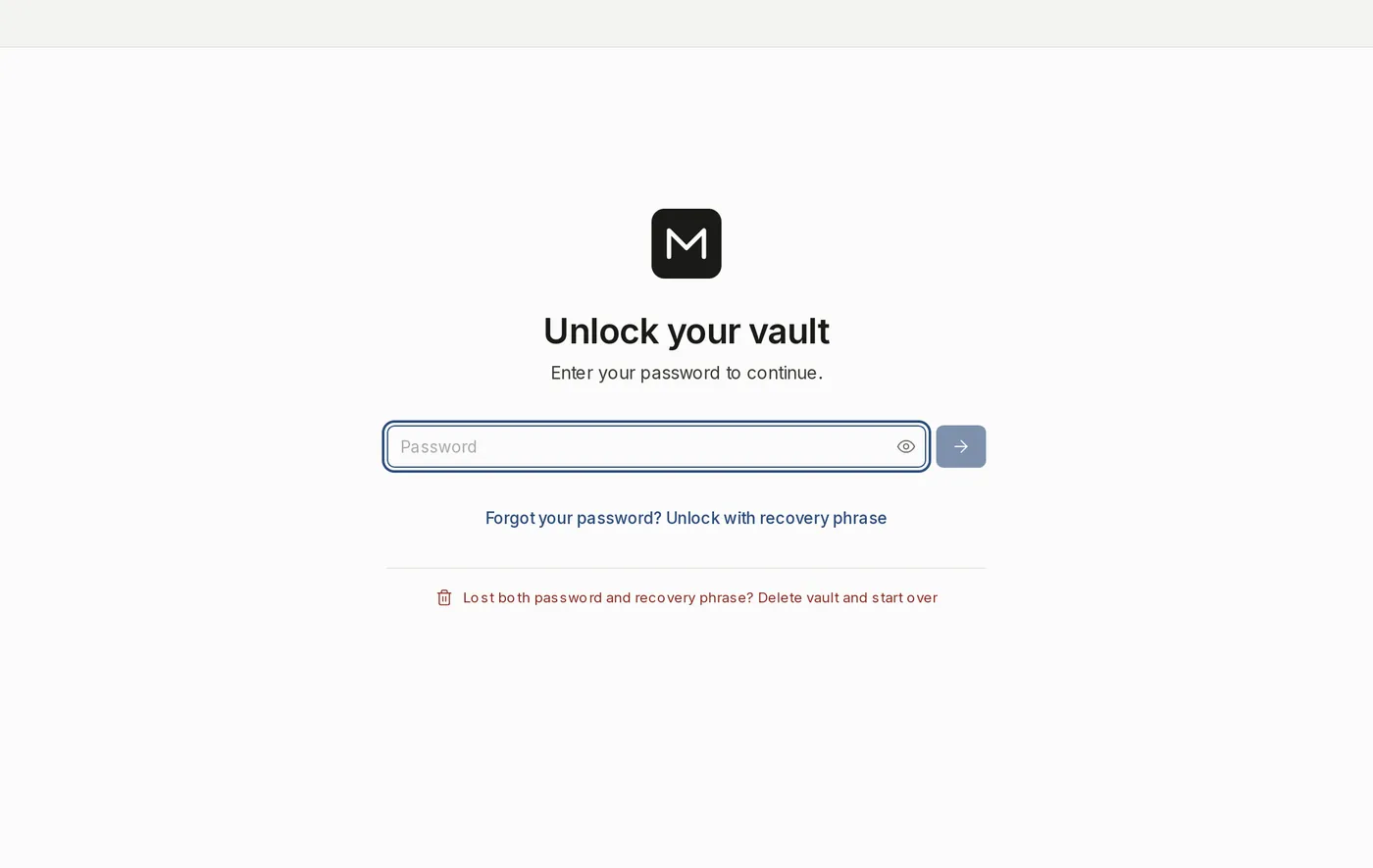
The Myne unlock screen: a sealed vault on the device, asking for the password that derives its key, in front of the app's own window.
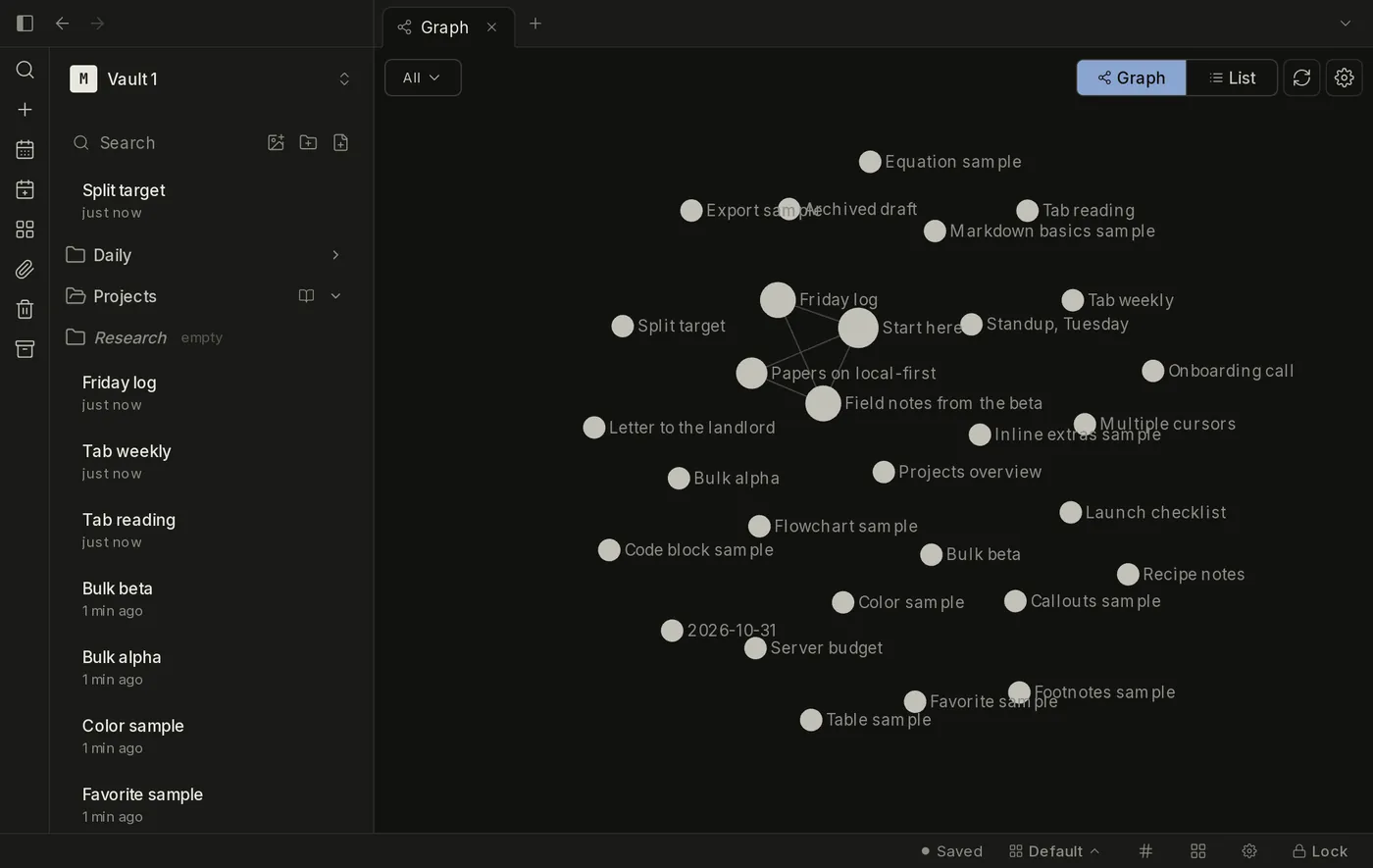
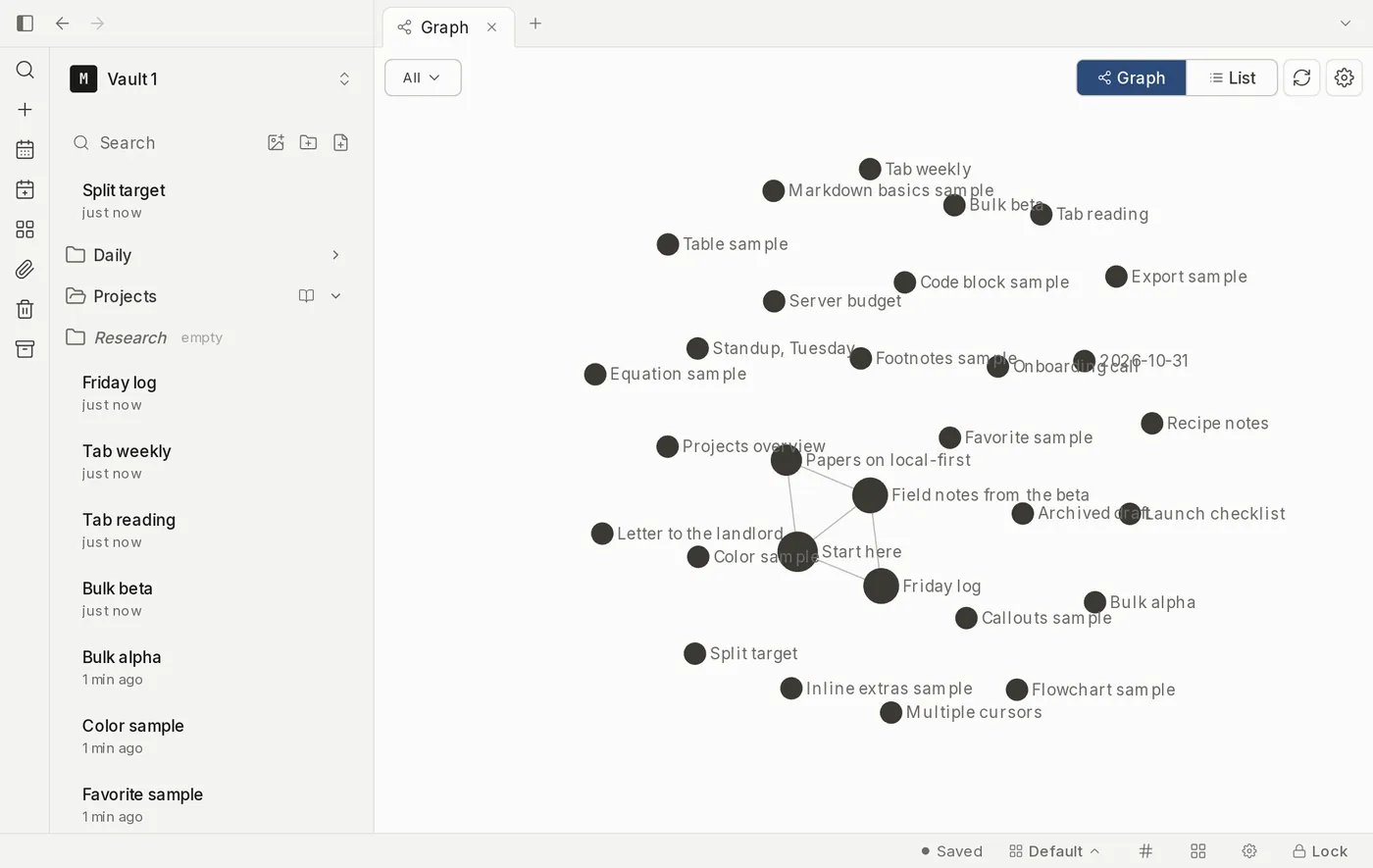
The graph view open as its own tab in the Myne desktop app, drawing the notes of a vault as labelled nodes joined by their links. The graph view open as its own tab in the Myne desktop app, drawing the notes of a vault as labelled nodes joined by their links.
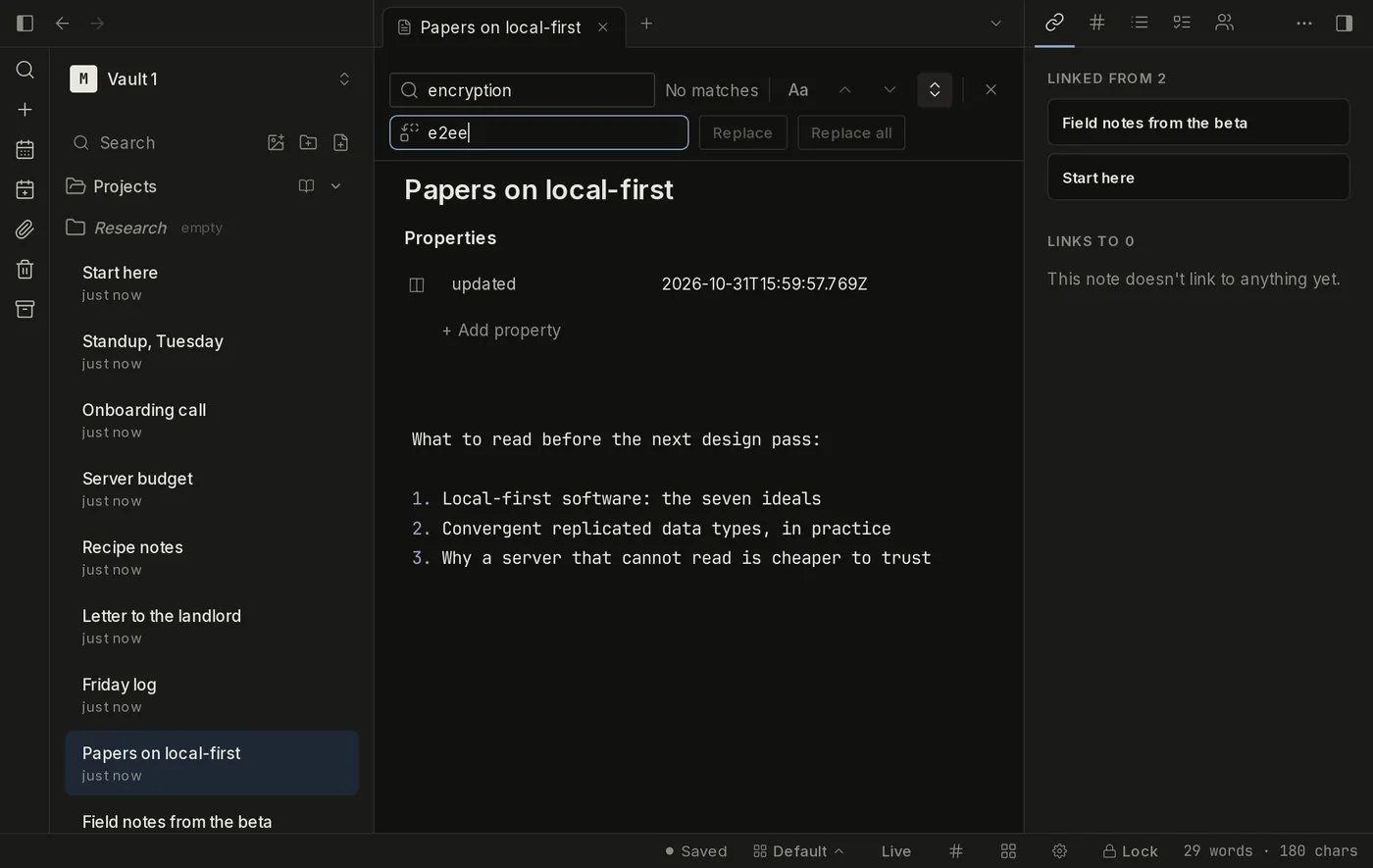
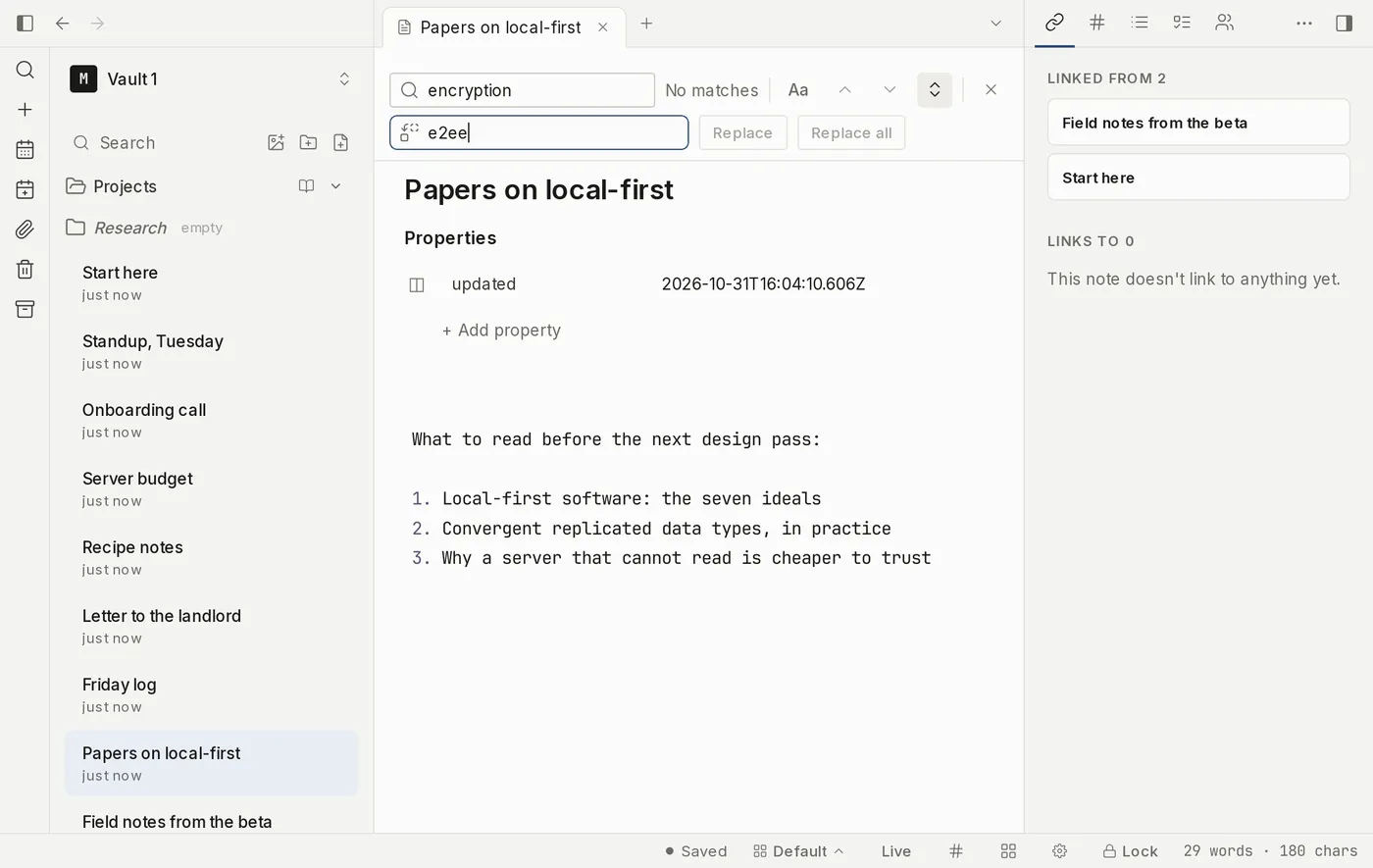
The find bar open over a note in the Myne editor, with the match counted and the find and replace fields side by side. The find bar open over a note in the Myne editor, with the match counted and the find and replace fields side by side.
running your machine
this device writes a note
your server no key
that device reads it back
$ docker run -d -p 8080:8080 ghcr.io/myne-md/myne-server

sealed before it leaves this device

01 Collaboration

Two people, one note, two cursors

A vault can be shared with the people you work with. Each member joins with their own identity and sets their own password, and your recovery phrase is never part of it.

  • Cursors with names. You see their cursor, their selection and their name while you both write. The label always sits beside the colour, so a colour is never the only thing telling you who is where.
  • One owner, many members. The vault's content key is wrapped to each member separately, so adding or removing someone does not touch anyone else's password.
  • Comments where the text is. An inline comment stays attached to the sentence it is about. It renders in the editor, not in print, and a byte-verbatim markdown export keeps it exactly as you typed it.

Limits A colour is a recognition aid rather than a security identity, and a name label resolves a device to the member it is claimed by: a well-founded hint about who is here, not evidence of who typed a change.

Live collaboration
A note open in the Myne editor with an inline comment dimmed beside the sentence it sits in, and the note list down the left side. A note open in the Myne editor with an inline comment dimmed beside the sentence it sits in, and the note list down the left side.
02 Agents

A model that works where you point it

Myne's AI is a set of features you turn on, not a service that is already reading. Out of the box you have named nothing, so no AI request leaves your device.

  • A question over the whole vault. Ask once and the answer is written from your notes, by a model running where you chose to run it. The transcript keeps the question and the answer.
  • Changes you approve. The composer proposes edits. They arrive as changes to review; nothing is written until you accept them.
  • Three places to run it. A model file on your own computer, a runtime you already run on the same machine, or a remote provider you name.

Limits An answer can be wrong, and the surfaces are built so a wrong one is easy to check. The in-process model is not sandboxed. Naming a remote provider sends the text of each request to that provider. This is Beta, and it is off until you turn it on.

AI (Beta)
The assistant working inside a vault: a question about sync, its answer, then a request to move two notes answered with a proposed change waiting for approval. The assistant working inside a vault: a question about sync, its answer, then a request to move two notes answered with a proposed change waiting for approval.
03 Meeting notes

Record the room, transcribe it here

A meeting can be recorded as one session and comes back as a note: the audio attached, and a transcript written on your device rather than somewhere else.

  • One session, two sources. Your microphone on every platform, plus a system-audio tap on macOS 14.2 and later, resampled to a common rate and mixed into one mono recording.
  • The transcript is written here. A small model on this device turns the recording into text. The note says it is a machine reading, and the audio stays beside it to check against.
  • Behind Developer mode. The recording path is still being verified on real hardware, so the command sits behind Developer mode until it is.

Limits Windows system audio is not captured yet, so a session there records the microphone alone, and a system-audio permission that was refused delivers silence rather than an error. Recording captures other people's speech: make sure you are allowed to before you start.

Meeting notes
rec 42:18 new note
microphone
this device
system audio
macOS 14.2 and later
transcript · written here

You Can we ship the sync change this week?

Ana Not until the migration runs on a real vault.

audio attached · note saved on this device · nothing sent anywhere

04 Encryption

Sealed on the device, with no way to turn it off

Encryption is not a setting here. There is one mode, it is on before the first note exists, and no part of the app exists to switch it off.

  • Argon2id, bound to the file. Your password is stretched at m=256 MiB, t=3, p=2 into a key that never leaves your device.
  • XChaCha20-Poly1305. Every note is sealed with a key commitment before it touches disk: content, titles, folders and tags alike.
  • No off switch. Auto-lock is always on and quick unlock reverses it rather than disabling it. There is no reset link, because a reset link is a backdoor.

Limits This does not defend a machine that is already compromised or a vault someone is using while it is unlocked, and it has not had an independent audit. Losing both your password and your recovery phrase means the data is gone. Quick unlock is opt-in, and its PIN form stores a third encrypted copy of the key on this device, where a copied disk can be attacked offline at PIN strength.

The privacy model
The Myne unlock screen: a sealed vault on the device, asking for the password that derives its key, in front of the app's own window.
05 Graph

Your notes, and the shape they make

A note is a node, not a page. Myne shows what points at it, what it points at, and the shape all of it makes in the graph.

  • Backlinks, in place. Every note that points at this one, listed with the sentence it does it in, plus the mentions you never turned into links.
  • The whole vault as a map. Every note a dot, every resolved wikilink a line: filter to what is isolated, to one tag, or to the neighbourhood of the note you have open.
  • Readable without a mouse. The same view is available as a list: one row per note, most connected first, with what it links to and what links back.

Limits Folders and attachments are not nodes, and a note outside the vault is not part of either surface.

Find and connect
The graph view open as its own tab in the Myne desktop app, drawing the notes of a vault as labelled nodes joined by their links. The graph view open as its own tab in the Myne desktop app, drawing the notes of a vault as labelled nodes joined by their links.
07 Sync server

The server is a program you run

Sync moves ciphertext the server holds no key for. That server is open source and ships as a container image, so you can run it on a machine you control.

  • The same server, from the same image. Pinned by image digest, so the file resolves to the same bytes on every machine, with a build for amd64 and one for arm64.
  • Running it changes the operator, not the trust. It holds encrypted blobs and no keys either way. What changes is who operates it, and what becomes yours: the TLS edge, retention, and your own backups.
  • What the operator can see. That an account synced, when, and roughly how much. Never a note: to the server a note is ciphertext.

Limits Sync is not a backup, on your own server or anyone else's: it propagates a deletion to your other devices. A self-hosted server needs a public domain and a certificate a public authority issued, because the clients refuse a self-signed one.

Run your own server
running your machine
this device writes a note
your server no key
that device reads it back
$ docker run -d -p 8080:8080 ghcr.io/myne-md/myne-server

sealed before it leaves this device

The claims are checkable. Start there.

The protocol, the key derivation and the account-number scheme are public, and the app is open source under AGPL-3.0. If a sentence on this page is not something you can verify, that is a bug, not a footnote.