A comment is a note-to-self you write inside a note. Wrap text in %% and Myne treats it as a comment: it stays on screen, dimmed, so you can still read it while you write, but it is dropped from the HTML, PDF, and plain-text exports and is left out of the document statistics. A byte-for-byte Markdown export keeps the comment exactly as you typed it, because the %% you wrote is never rewritten.
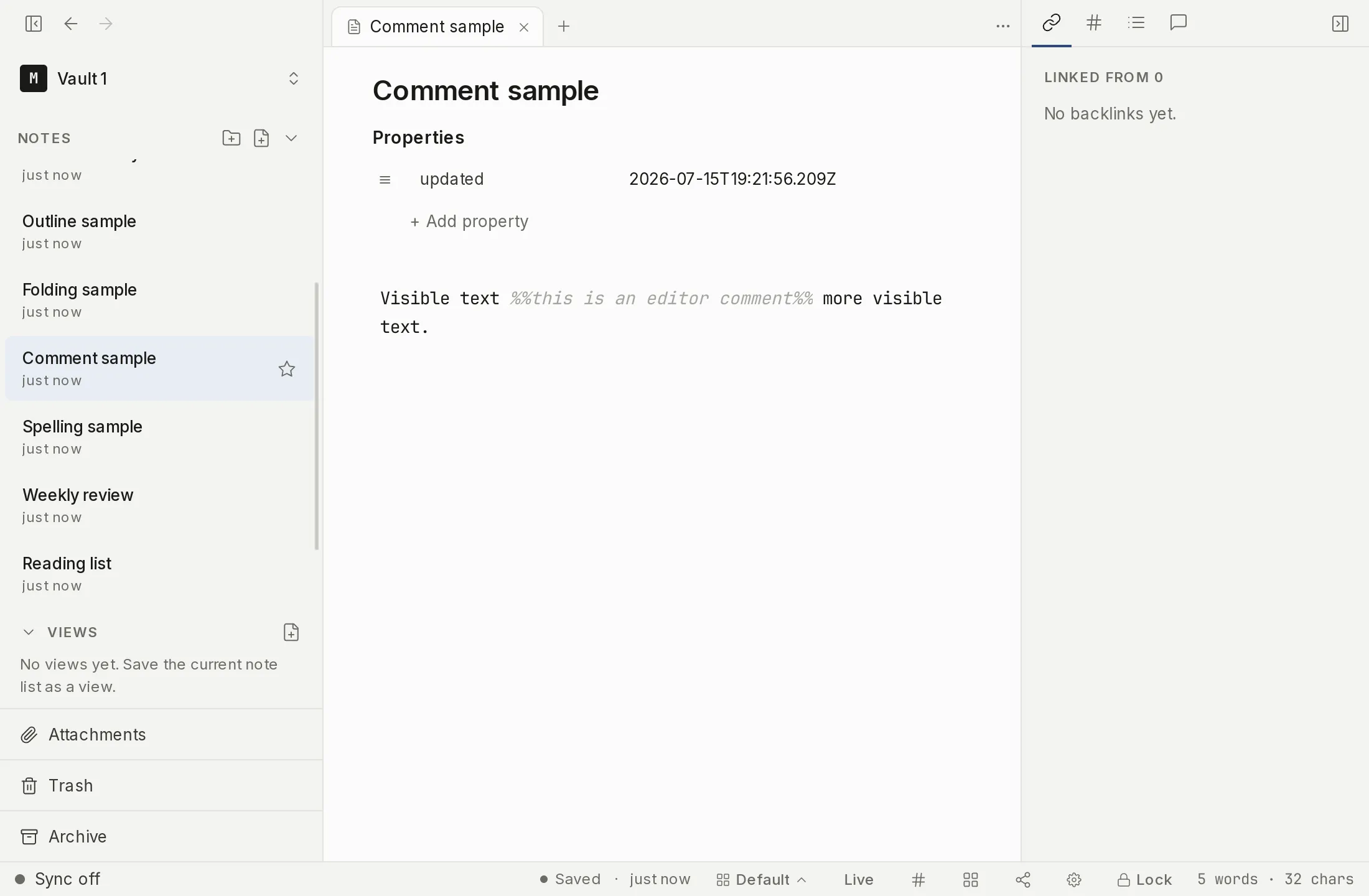
Writing a comment
Type the %% delimiters yourself; there is no toolbar button and no slash command that inserts a comment. Two forms work:
- Inline — wrap a span on one line, like
Ship the draft %%still missing the intro%% by Friday. Only the text between the two%%pairs is the comment; the rest of the line stays ordinary text. - Block — open a line with
%%and close it later with another%%. The closing%%can sit on the same line or on a following line, so a block comment can run across several lines.
Where comments show and where they don’t
In the editor the comment is always visible. Myne renders it dimmed, so it reads clearly as a comment set apart from the surrounding text, but it never disappears, even when your cursor is elsewhere. You can always see and edit your own notes-to-self.
The comment is removed from every rendered or lossy output:
- the HTML export,
- the PDF export,
- the plain-text export, and
- the document statistics (word, character, space, and paragraph counts).
The one place the comment survives in full is the byte-verbatim Markdown export. That export copies your note’s exact bytes, and the %% source you typed is never rewritten, so the comment text comes through unchanged.
Termination is required
A comment must be closed. A %% with no matching closing %% is inert: it stays as the literal characters you typed, hides nothing, and is not stripped from any export. This is a deliberate divergence from Obsidian, where an unterminated %% swallows everything to the end of the file. Myne chooses the safer behavior so that a stray, unclosed %% never makes the rest of your note vanish from an export. If a comment is not doing what you expect, check that it has a closing %%.
Limits
A comment is author content. It is stored verbatim inside the encrypted .myn note, the same as the rest of the note body, and it is hidden only from exports, rendered output, and document statistics — never from the editor. Anyone who can read the decrypted note can read the comment, and a byte-verbatim Markdown export carries the comment text in the clear. A comment is a writing convenience, not a way to redact or hide text, and it carries no security or privacy guarantee of its own. How the note itself is protected is covered in How Myne protects your notes.