Myne renders standard pipe tables, and you can edit them in place. Insert a starter table from the slash menu, click any cell to edit it, and use Tab and the arrow keys to move between cells. The underlying text stays standard pipe-separated markdown.
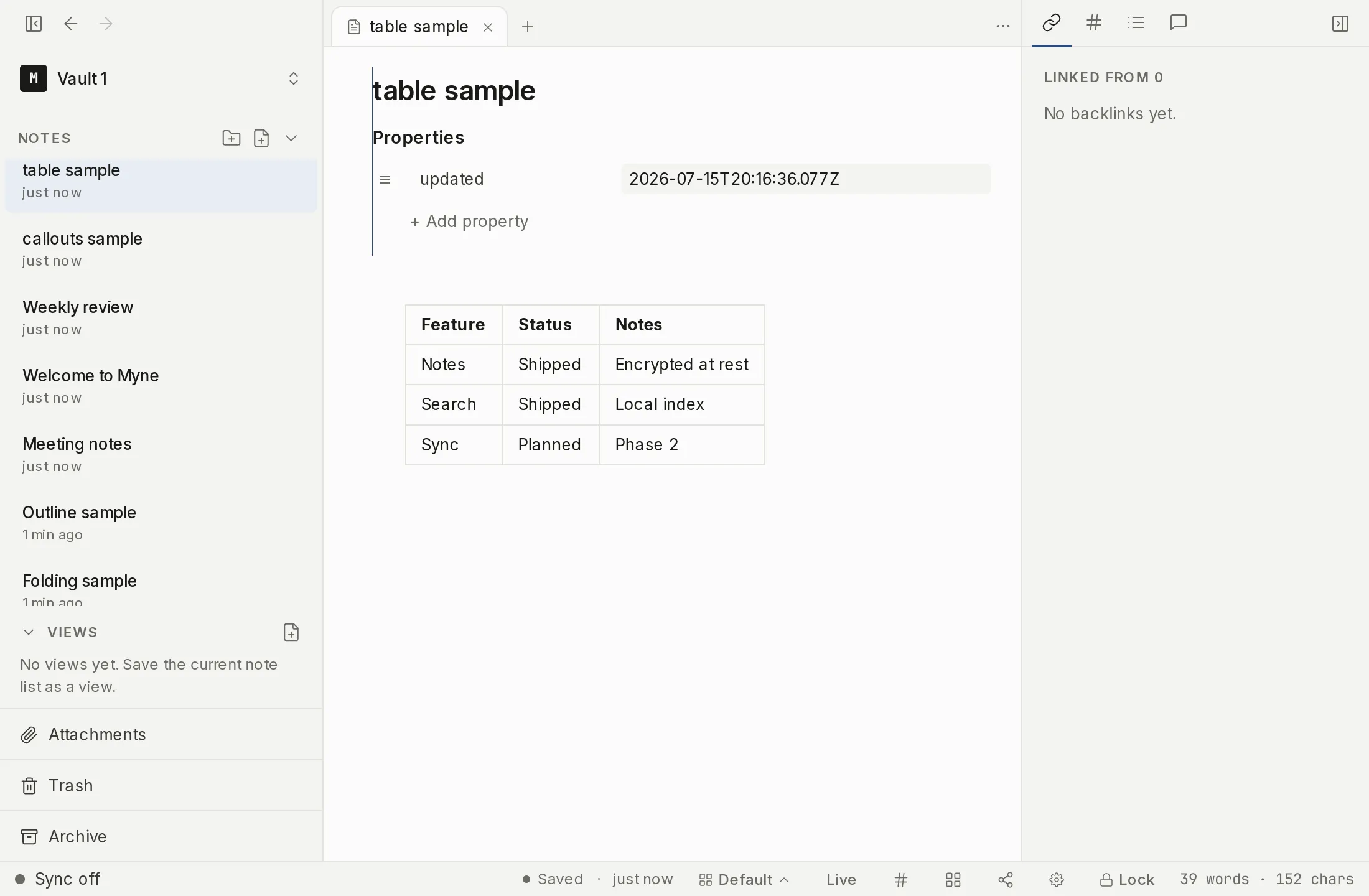
Inserting a table
Type / in the editor and choose Table from the slash menu (see slash commands). Myne inserts an empty 2×2 starter — a header row, a divider row, and one body row — and places your cursor in the first cell, ready to type:
|  |  |
|---|---|
|  |  |
You can also write a table by hand. A table is rows of cells separated by pipes, with a divider row of dashes under the header:
| Item    | Qty |
|---------|-----|
| Apples  | 6   |
| Oranges | 2   |
The cells do not need to line up in the source; Myne renders them aligned regardless.
Editing cells
Click any cell to edit it in place. Press Enter or click away to commit your change; press Escape to discard it and keep the cell’s previous text. A cell understands a small amount of inline markdown — bold, italic, inline code, and links.
Move between cells without the mouse:
- Tab moves to the next cell, Shift+Tab to the previous one. Tab from the last cell adds a new row.
- The arrow keys move to the cell above, below, left, or right when your cursor is at the edge of the current cell’s text.
Adding, deleting, and reordering
Hover over a table to reveal its gutter controls:
- Add a row with the control below the last row; add a column with the control to the right of the last column.
- Delete a row or column with the delete control in its row or column gutter.
- Reorder a row or column by dragging its grip handle (in the left gutter for rows, the top gutter for columns) to a new position.
Column alignment
Mark alignment in the divider row with colons:
:---left-aligns the column.---:right-aligns it.:---:centers it.
| Left | Center | Right |
|:-----|:------:|------:|
| a    | b      | c     |
Limits
The editing controls apply to a table that stands on its own in the note. A table written inside a block quote, a callout or a list item renders read-only: no cell editing, no gutter controls, no reordering. Clicking a row there puts your cursor on that row’s raw markdown line, which is how you edit it. Rewriting such a table through the grid would have to re-indent it, and that would break the block it sits in.
The in-cell editor handles bold, italic, inline code, and links; other markdown inside a cell stays as literal text rather than rendering. Tables are standard markdown, so they travel to any other markdown editor unchanged — the editing controls are a convenience layer over the same pipe-separated text.