Myne renders mathematical notation with KaTeX. You write LaTeX between dollar-sign delimiters, and Myne typesets it, either inline within a sentence or as a centered block.
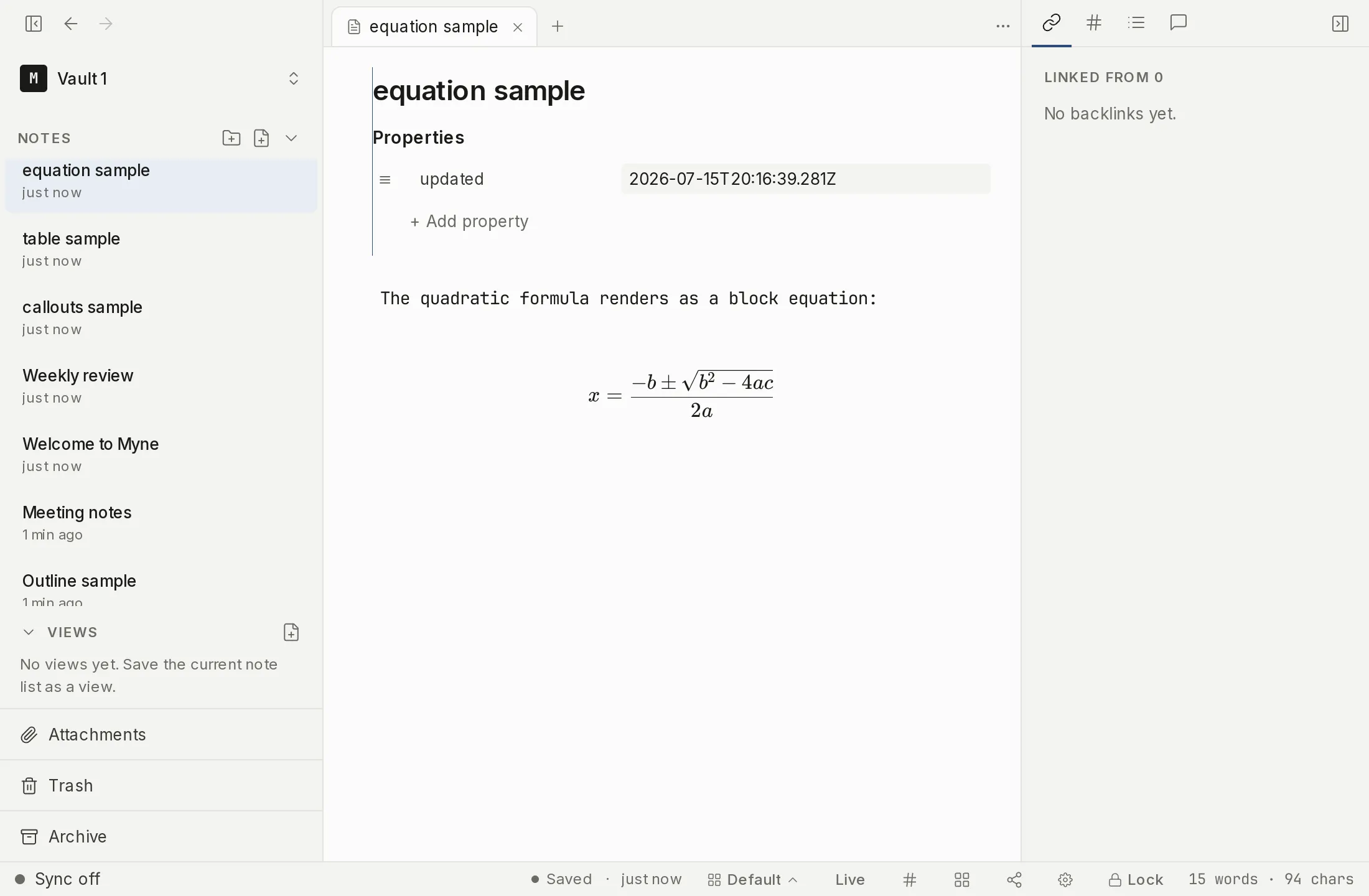
Inline and block math
- Inline: wrap an expression in single dollar signs.
$E = mc^2$renders within the line. - Block: wrap it in double dollar signs on their own.
$$ \int_0^1 x^2 \, dx $$renders centered on its own line. Block math can use LaTeX environments such as\begin{aligned} … \end{aligned}.
Myne recognizes $ and $$ only; the \(…\) and \[…\] delimiters are not used.
Dollar signs and currency
So that ordinary prices don’t turn into math, Myne is careful about when a $ starts an expression:
- The opening
$must not be followed by a space or a digit, so$5and$ 100stay as text (currency), but$x$is math. - The closing
$must not be preceded by a space. - A
$…$expression does not cross a line break. - Dollar signs inside code (inline or fenced) are never treated as math.
This means a line like It cost $5, not $10. renders as plain text, while $a + b$ renders as math.
When the LaTeX is invalid
If an expression can’t be parsed, Myne shows your raw LaTeX with a subtle hint rather than a red error box. Your text is never replaced with an error, so you can see and fix it in place.
What math cannot do
The commands that would turn an equation into markup are refused: \href, \url and \includegraphics are shown as unsupported source rather than becoming a link or loading an image. Math typesets your notation; it is not a way to put a link or a remote resource in a note.
Limits
KaTeX is loaded the first time a note needs it, so the very first math on screen may appear a moment after the rest of the note. Typesetting happens on your device: the math renderer and its fonts ship inside Myne, and rendering an equation makes no network request. Until you turn on sync or name a remote AI provider, Myne runs entirely on your device; nothing leaves it.