Favorites give you quick access to the notes you open most, without disturbing how they are filed. This article covers what favoriting does and what it doesn’t.
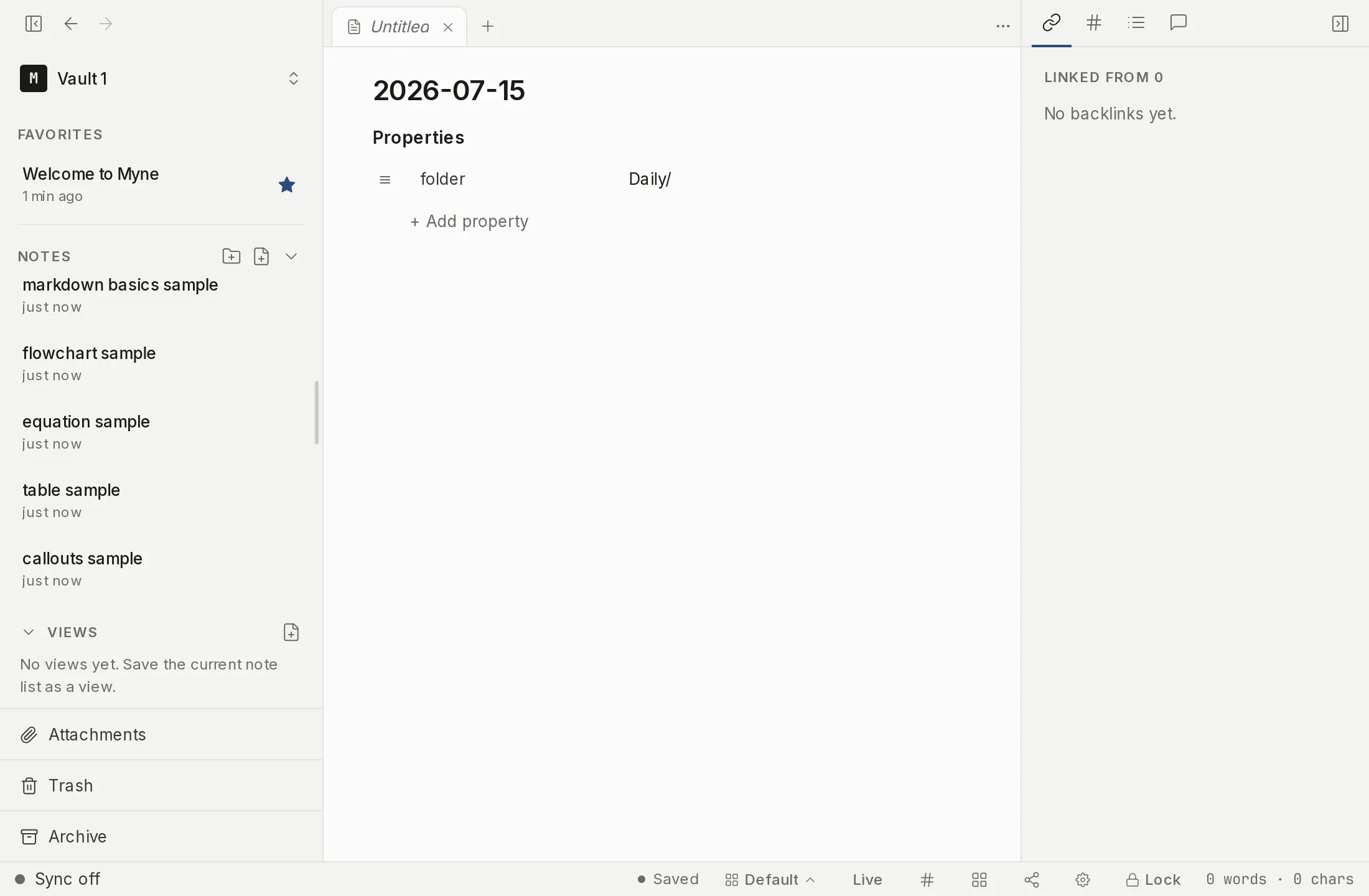
A shortcut, not a move
Marking a note as a favorite adds it to a Favorites section at the top of the sidebar. It does not move the note: the original stays exactly where it lives in your folder tree. A favorite is a shortcut to the note, so you can reach it from the top of the sidebar and still find it in its folder.
Hover a note’s row in the sidebar and a star appears on it; click the star to favorite the note. Once a note is a favorite the star stays visible, and clicking it again removes the note from Favorites. The same toggle is in the note’s menu, as Add to favorites and Remove from favorites, if you would rather not reach for the star.
Dragging works too: drag a note onto the Favorites section to add it. Reorder the list by dragging rows within the section — dropping on a row’s edge places the note at that slot. The order is yours to set.
Where favorites are stored
Your favorites list is part of your vault’s encrypted preferences, the same place your other settings live. Until you turn on sync or name a remote AI provider, Myne runs entirely on your device; nothing leaves it. With sync on, the list travels encrypted to your other devices, so a note you favorite on one device is a favorite on the others. The server sees that a preferences blob changed; it never sees which notes are favorited.
Limits
Favorites are pointers. Removing a note from Favorites does nothing to the note itself. Moving a note to the Trash takes its row out of the Favorites list, and restoring it from the Trash puts the row back; only permanently deleting the note drops it from Favorites for good. See Trash.