This article covers three ways of referring to things: footnotes, reference-style links, and wikilinks (the [[Note]] syntax Myne uses to connect notes inside a vault).
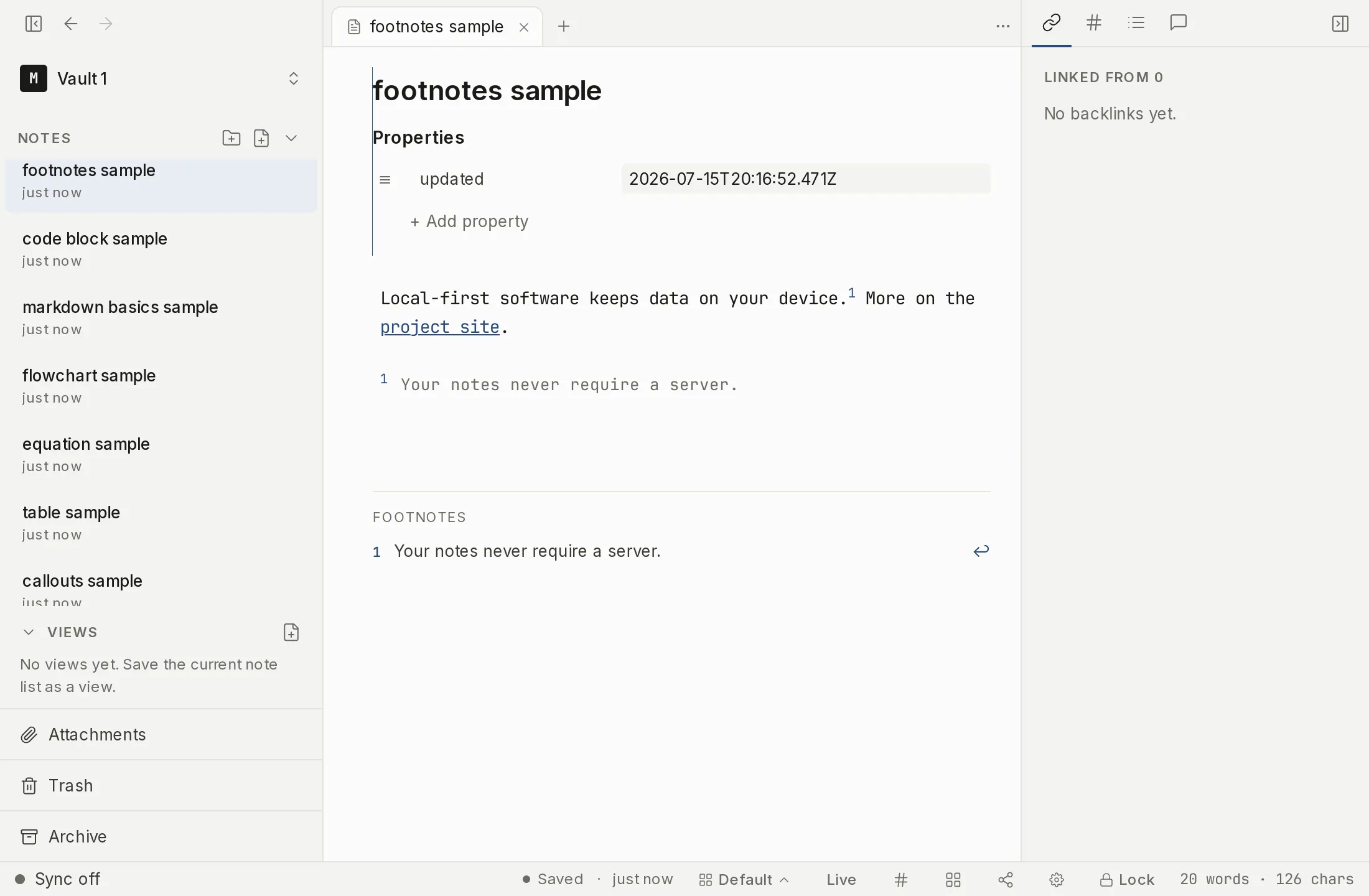
Footnotes
A footnote has two parts: a marker in your text and a definition elsewhere in the note.
Here is a claim.[^1]

[^1]: And here is the supporting note.
The marker [^1] renders as a small reference; clicking it jumps to the definition. The identifier can be any short label, not just a number ([^source] works). Definitions are usually grouped at the end of the note, but Myne finds them wherever they are. A definition can span more than one paragraph: indent the continuation lines by four spaces. The definition ends at the first non-blank line indented less than that. A marker with no matching definition still renders as a marker, tinted to show that it points at nothing, and clicking it does nothing.
Myne also draws a Footnotes list at the end of the note, under a rule: every definition in the note, ordered by where its marker first appears, each with a ↩ that jumps back to the marker. A definition nothing refers to is listed after the rest and labelled unreferenced. The list is drawn, not written: your [^1]: lines stay exactly where you put them, and nothing is added to your file.
Reference-style links
Instead of putting a URL inline, you can name it once and refer to it by label:
See the [project README][readme].

[readme]: https://example.com/readme
Myne renders the labelled usage as a link and hides the definition line. Labels are matched loosely: case and internal spacing don’t have to match exactly. Reference images work the same way (![alt][ref]). These forms are recognized and rendered; Myne keeps your bytes as written.
Wikilinks
Wikilinks are Myne’s syntax for linking one note to another inside the same vault. You write a target inside double brackets, and the editor renders it as a single chip.
| You write | What it links to |
|---|---|
[[Note Title]] | the note with that title |
[[Note Title|Display]] | the same note, but the chip shows “Display” |
[[Note Title#Heading]] | a heading in that note (the chip shows “Note › Heading”) |
[[Note Title^block-id]] | a specific block (the chip shows the note; the block id is kept in the text) |
[[folder/path.md|Display]] | a note by its vault-relative path (Myne’s own preferred form) |
[[Projects/]] | the folder note of the folder “Projects” — the trailing slash is what makes it a folder link; see Folder notes |
![[Note Title]] | an embed — an “Embed: Note Title” chip, unless the target is a drawing note, which is drawn inline; see Embeds |
![[att:<id>|name]] | an embedded attachment, rendered according to what the file is; see Embeds |
A heading anchor matches the heading’s plain text: formatting markers and any inline HTML around it are ignored, so [[Notes#Desktop]] finds a heading written ## **Desktop** or ## <mark class="hl-green">Desktop</mark>. Case does not have to match. If two headings share the same text, the link goes to the first one.
A chip is atomic: it behaves as one unit, so backspacing next to it removes the whole [[…]], and selecting it selects the entire link. A wikilink never spans more than one line, and a [[Note]] written inside a code block stays as code, not a link.
How a wikilink resolves
A title-only link like [[Wednesday]] resolves to the note titled “Wednesday” in the current vault; a path link resolves to that vault-relative path. An embed of an ordinary note is a labeled chip: Myne does not pull that note’s text inline, and there is no transclusion. One target is drawn instead of labelled — an embed of a drawing note shows the drawing itself, and clicking it edits the drawing in place, where it sits in the note. The ![[…]] text in your file is unchanged either way; Embeds covers each target kind.
Writing one
You can type a wikilink by hand, but you do not have to. Typing [[ opens a picker that searches your notes and inserts the link for you; the same picker opens from the slash menu’s Wiki link entry and with the shortcut below. What you type after [[ chooses what it lists: plain text lists notes, # lists the headings in the note you are in, ## lists headings anywhere in the vault, and ^^ lists block ids carried in from an imported vault. Hovering a finished link chip tells you where it resolves, or that it matches nothing. What these connections surface is covered in Find & connect.
Limits
All of these are render-only: Myne shows footnotes, reference links, and wikilinks as formatted text, but what is saved is exactly the markdown you typed. Wikilinks resolve only within the current vault; there are no cross-vault links.
Shortcuts
| Action | macOS | Windows / Linux |
|---|---|---|
| Insert wikilink | ⌘⇧L | Ctrl Shift L |
This is the default. You can change it under Settings → Hotkeys, which also lists every shortcut in the app.