The bottom bar carries a live readout of the open note’s word and character count. Hover it and a tooltip breaks the count down further — characters, words, spaces, and paragraphs. It measures the prose body of the note, and the moment you select some text it switches to counting just the selection.
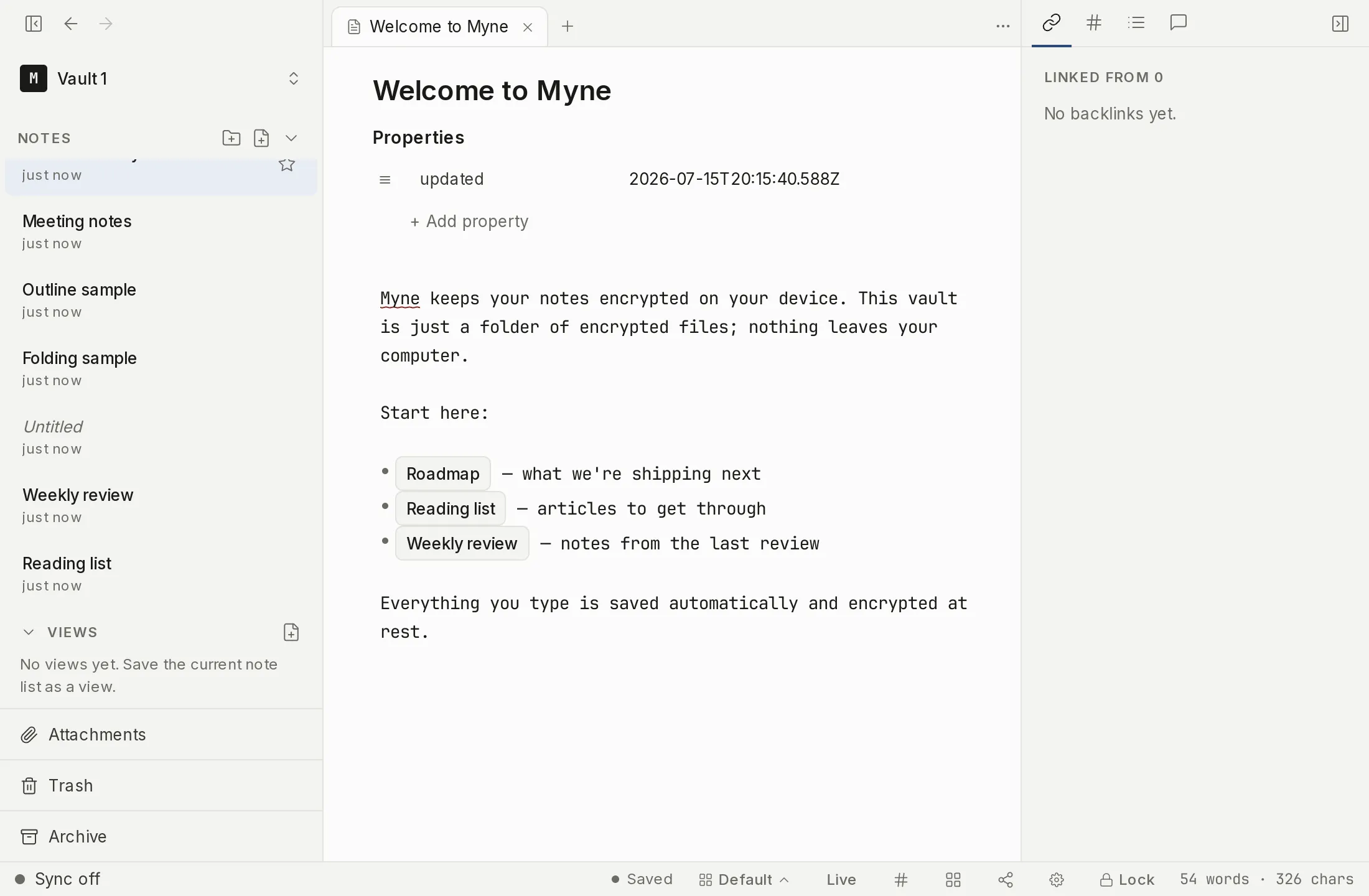
The readout
At the right end of the editor’s bottom bar, a small readout shows the open note’s word and character count — for example, 123 words · 456 chars. It is drawn in a monospace font so the digits stay aligned as the numbers change.
The whole-note count updates on a short debounce as you type, so it settles a moment after you stop rather than flickering on every keystroke.
If you would rather not see it, you can hide it. Right-click the bottom bar and toggle the Word count item off; toggle it back on the same way. The setting is part of which bottom-bar items you show.
The full breakdown
Hover the readout and a tooltip shows the full four-stat breakdown: characters, words, spaces, and paragraphs. The bar itself stays compact with just words and characters; the tooltip is where you reach for the rest.
Counting a selection
Select any text in the note and the readout switches to the figures for that selection, appending (sel) so you can tell which scope you are looking at — for example, 12 words · 47 chars (sel). The hover tooltip follows the same switch and ends with (selection). Clear the selection and the readout returns to counting the whole note.
What is and isn’t counted
The counts cover the prose body of the note only. Three things are left out of every figure:
- YAML frontmatter — the metadata block at the top of the note.
- Dialect markup — the formatting marks of Myne’s markdown dialect, not the words they wrap.
%%comments — your private editor-only notes never reach the count.
So the numbers track the words a reader would actually read, not the scaffolding around them.
The bottom-bar readout carries no reading-time estimate. It reports four things and only those four: words, characters, spaces, and paragraphs.
The mobile app is the one place a reading time appears. Open a note’s menu there and the top line pairs the word count with an estimate, in the shape 340 words · 2 min read. It is computed on your device from the same text, like every other figure here.
Limits
The counts are computed inside the editor over content that is already decrypted and on screen. Nothing about the figures is persisted to your vault or transmitted anywhere — they are recalculated each time, on your device, from the note you have open. Until you turn on sync or name a remote AI provider, Myne runs entirely on your device; nothing leaves it.