You can change your master password from Settings → Account. This article covers how to do it, what it actually changes, and the one honest caveat about your old backups.
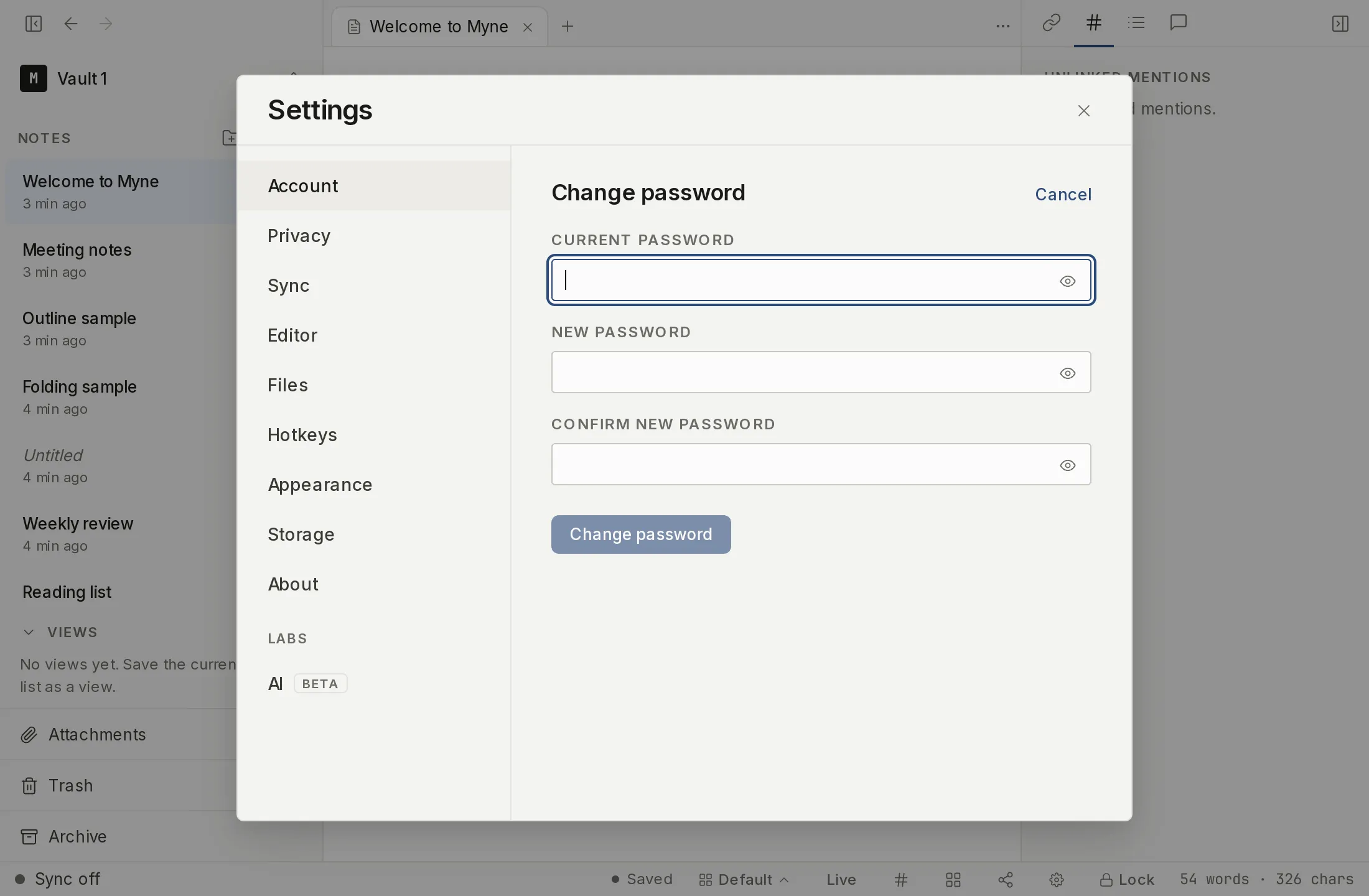
Changing it
Open Settings → Account and choose Change password. Enter your current password, then a new one. The new password must meet the same floor as at creation (at least 12 characters and a strength the meter accepts). Confirm, and Myne re-wraps your vault under the new password.
While the change is processing, Myne works for a second or two and the settings window won’t dismiss; Esc, clicking away, and the close button are held until it finishes, so the operation can’t be interrupted halfway. If you need to back out, the Lock control in the bottom bar still works: locking the vault is the clean way to cancel a change in progress.
If the current password you entered is wrong, you get a single message that doesn’t reveal whether it was the password or a damaged vault file, the same deliberate non-distinguishing wording the Unlock screen uses.
What changes, and what doesn’t
Changing your password rotates only the password’s wrap of the vault key. It does not re-encrypt your notes, change the vault’s internal key, alter your recovery phrase, or change your account number; all of those keep working exactly as before. The change is fast because that is all it touches.
One thing it does clear: if you had set up quick unlock on this device, the password change wipes that stored credential. Quick unlock stores a separate device-local credential unlocked by your PIN or Touch ID; changing your master password deliberately wipes it, so you re-enroll your PIN or Touch ID from Settings → Privacy afterward.
If you sync
The change is written on this device first. Your other devices learn about it when it reaches the sync server, and until it does they still expect the old password. On the desktop app a later sync cycle carries it. In a browser Myne waits for the server to acknowledge it and tells you when it could not: “Your new password works on this device, but Myne couldn’t reach the server to save it. Until it does, your other devices still expect the old password, and if this browser’s copy is cleared before then, the change is lost. It will retry automatically.”
If you see that, do not change the password again to force it through. A second change re-wraps the copy the first one made, which leaves this device further from the server rather than closer. Get back online and let it retry.
The caveat about old backups
Changing your password does not lock anyone out of backups you already made. An old password opens old backups. The recovery phrase opens every backup of the vault, forever. So if you are changing your password because you fear it was exposed, treat every pre-change backup as still openable by the old password, and make a fresh backup afterward. The full picture is in Back up your vault.
Limits
A password change protects your live vault going forward; it cannot reach back into copies you have already exported. Pair a password change with a new backup, and retire the old ones if the reason for the change was a possible compromise.
There is one more copy it does not reach. If you have upgraded your vault to the new format and not finished the upgrade yet, Myne is still keeping the old vault on this device, and that copy opens with your old password and your recovery phrase. The app says so at the time: “Your vault was upgraded. The old copy is still on this device until you finish up. Until then, changing your password won’t lock it away.” Finish the upgrade in Settings → Sync before you rely on a password change.