A wikilink connects one note to another inside your vault. You write it in double brackets, and Myne turns the connection into something you can use in three places. This article is about what wikilinks do; the exact syntax (aliases, headings, paths, embeds) is in Footnotes and reference links.
What a link does
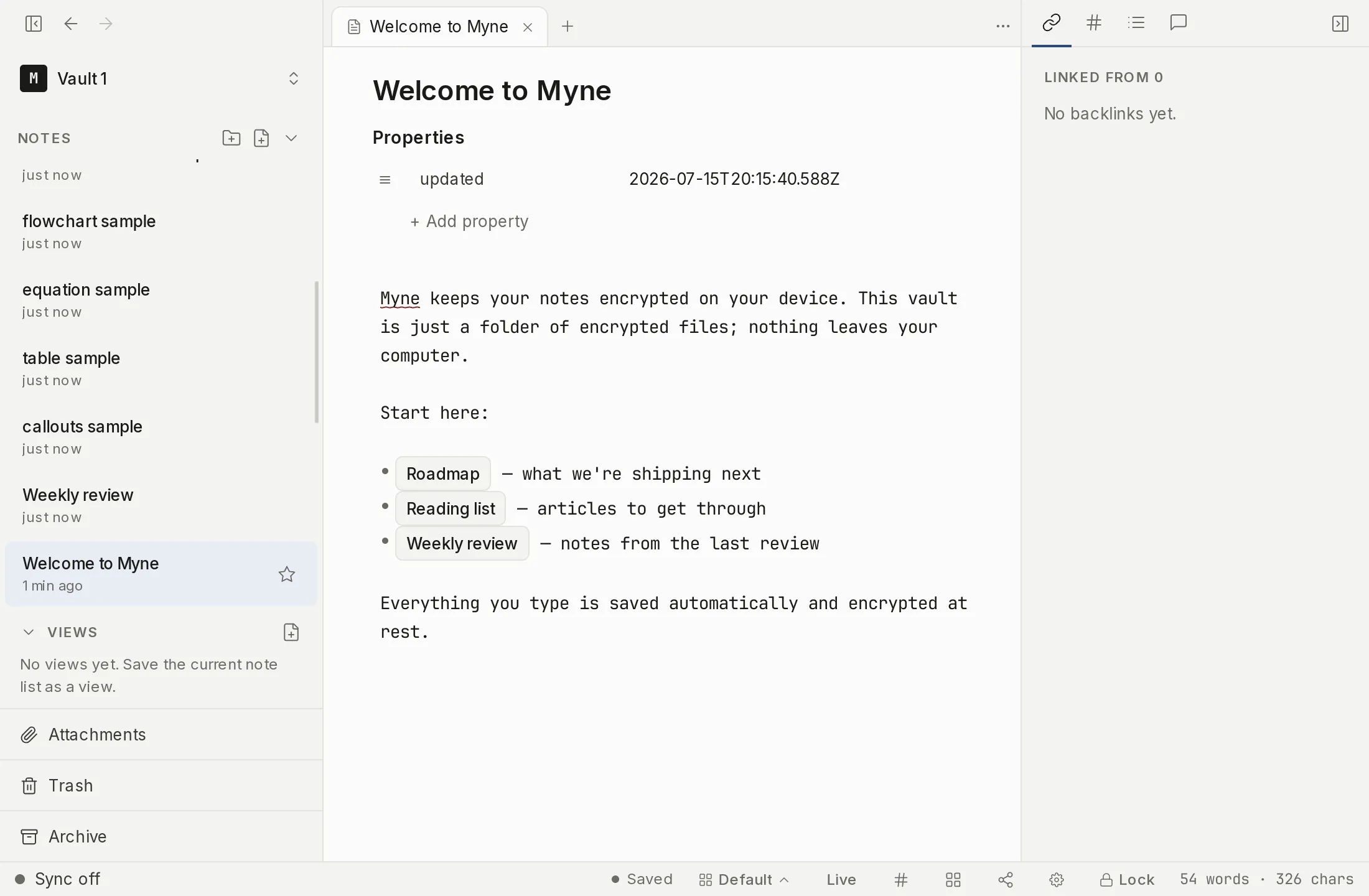
Write [[Another note]] and Myne renders it as a chip you can read past, and the link starts working:
- In the editor: the chip stands in for the bracketed text, so the prose stays clean, and it appears as soon as you finish typing the closing brackets. Click it and the note opens. Put the caret on the link itself and that one chip lifts back to the brackets so you can edit where it points; clicking that raw text places the caret in it rather than following the link, which is what lets you fix a typo in a target. Other links on the same line stay as chips, and a caret resting just past a link’s last bracket leaves it alone too, so arrowing along a line of links does not make the line jump about. Select across several and every link the selection touches lifts together.
- In backlinks: the linked note gains an entry pointing back to yours (see Backlinks).
- In the graph: the link becomes an edge between the two notes (see Graph view).
Resolved and unresolved links
A wikilink to a note that exists is resolved: it points somewhere, powers a backlink, and draws a graph edge. A link to a note that doesn’t exist yet is unresolved. Myne keeps the text exactly as you wrote it, but with nothing to point at, it doesn’t create a backlink or a graph edge. Create a note with that title and the link resolves.
Link to a folder
Add a trailing slash and the link targets a folder instead of a note: [[Projects/]] resolves to that folder’s index note. The slash is the only thing that tells the two apart — [[Projects]] looks for a note titled “Projects”, [[Projects/]] looks for the folder. A resolved folder link behaves like any other resolved link: it powers a backlink and draws a graph edge, pointing at the index note that stands in for the folder. See Folder notes for how a folder gets an index note.
A folder link can break in two ways, and the chip’s hint tells you which. (no folder note) means the folder exists but has no index note to point at — give the folder one and the link resolves. (no match) means no folder by that name exists, the same broken state as an unresolved note link.
Jump to a heading
A wikilink can point past a note’s title to a spot inside it. Write [[Note#Heading]] and following the link opens the note and scrolls to that heading; the chip reads Note › Heading so you can see where it lands. If the heading isn’t there — it was renamed or removed — the link still opens the note, just at the top rather than failing.
The list that appears while you type offers the notes you have opened most recently first, among the ones that match equally well. That matters most at the very start: the list opens the moment you type [[, before there is anything to match on, and the note you are linking to is usually one you have just had open.
While you type a link, three prefixes help you fill in what comes after the note. [[# lists headings in the current note; [[## lists headings across the whole vault, so you can deep-link into another note without leaving your place; and [[^^ lists the ^block-id anchors that came in with an imported Obsidian vault, so you can link to a marked line without remembering its id. Following one of these links scrolls to the anchor, opening the target note first when the link points somewhere else. Myne never mints new block-ids of its own, so headings are the anchor you author here.
Limits
Wikilinks connect notes within the current vault only; there are no links across vaults. Resolution is by the note’s title or vault path, as described in the syntax reference.