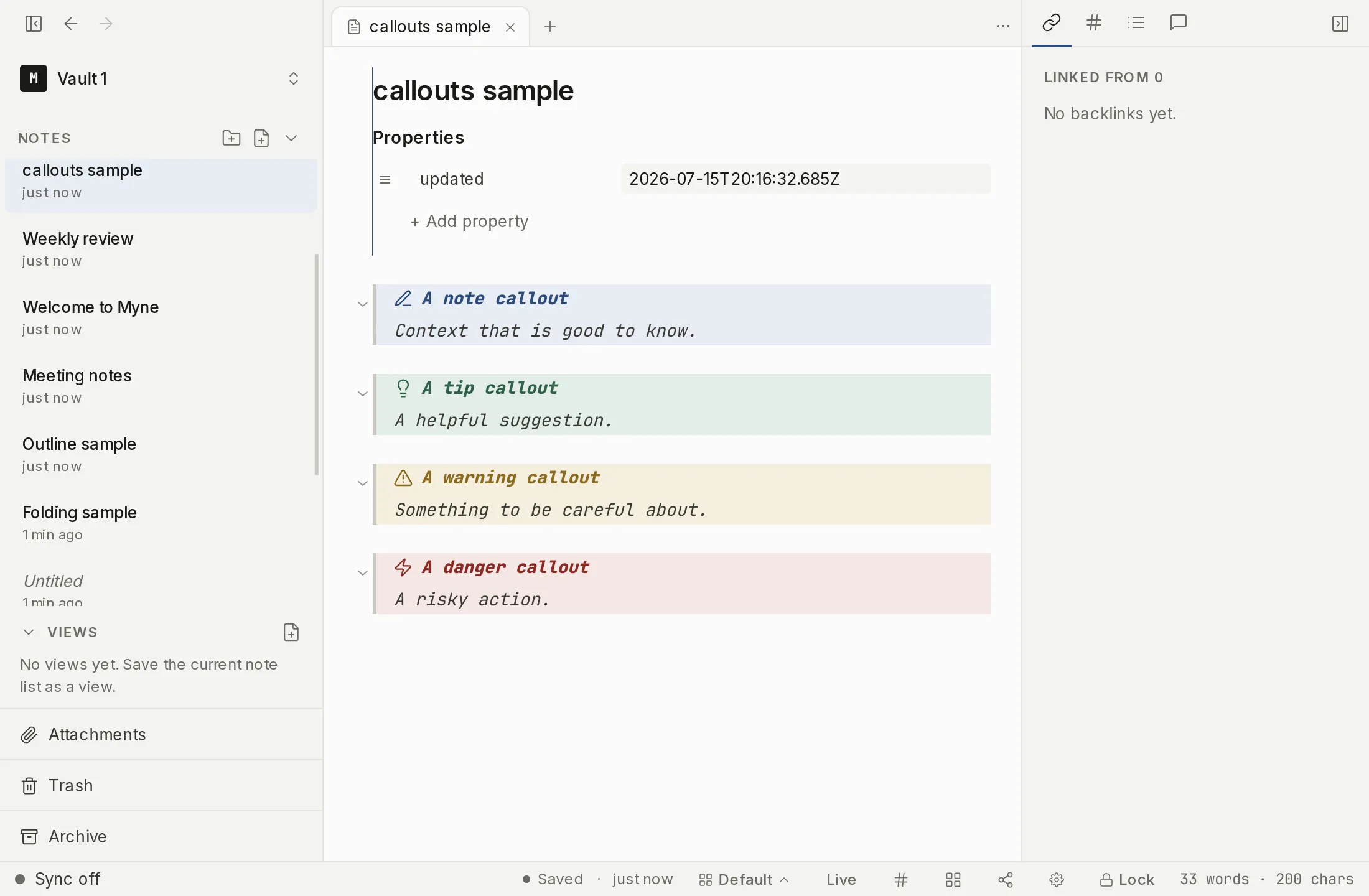
A callout is a highlighted block: a colored, titled box for a note, a warning, a tip. Myne builds callouts on top of block quotes, so they stay plain markdown.
Writing a callout
Start a block quote whose first line is [!type]:
> [!warning]
> Don't forget to back up before changing your password.
That renders as a warning-styled box with an icon and a “Warning” title. To set your own title, put it after the type:
> [!tip] Keep it simple
> One placeholder per line reads best.
The /callout command starts one for you: it writes > [!note] on the line, and you type the title and change note to whichever type you want.
The callout types
Each type maps to one of five color families. These are the recognized types:
- Accent:
note,example,quote,cite - Info:
info,todo - Success:
tip,hint,important,success,check,done - Warning:
question,faq,warning,caution,attention - Danger:
failure,fail,missing,danger,error,bug
Types are case-insensitive, so [!Warning] and [!warning] are the same. A [!type] Myne doesn’t recognize is left as an ordinary block quote; it isn’t turned into a callout.
Limits
You can write the foldable [!type]+ / [!type]- markers and Myne keeps them, but callouts render expanded; there is no clickable fold toggle in this version. Callouts are standard block quotes underneath, so they remain readable markdown in any other editor.