Backlinks answer the question “what links here?”. While you read a note, the Links tab in the right panel lists every other note that links to it — the reverse of the wikilinks you write — and, below that, the notes this one links out to.
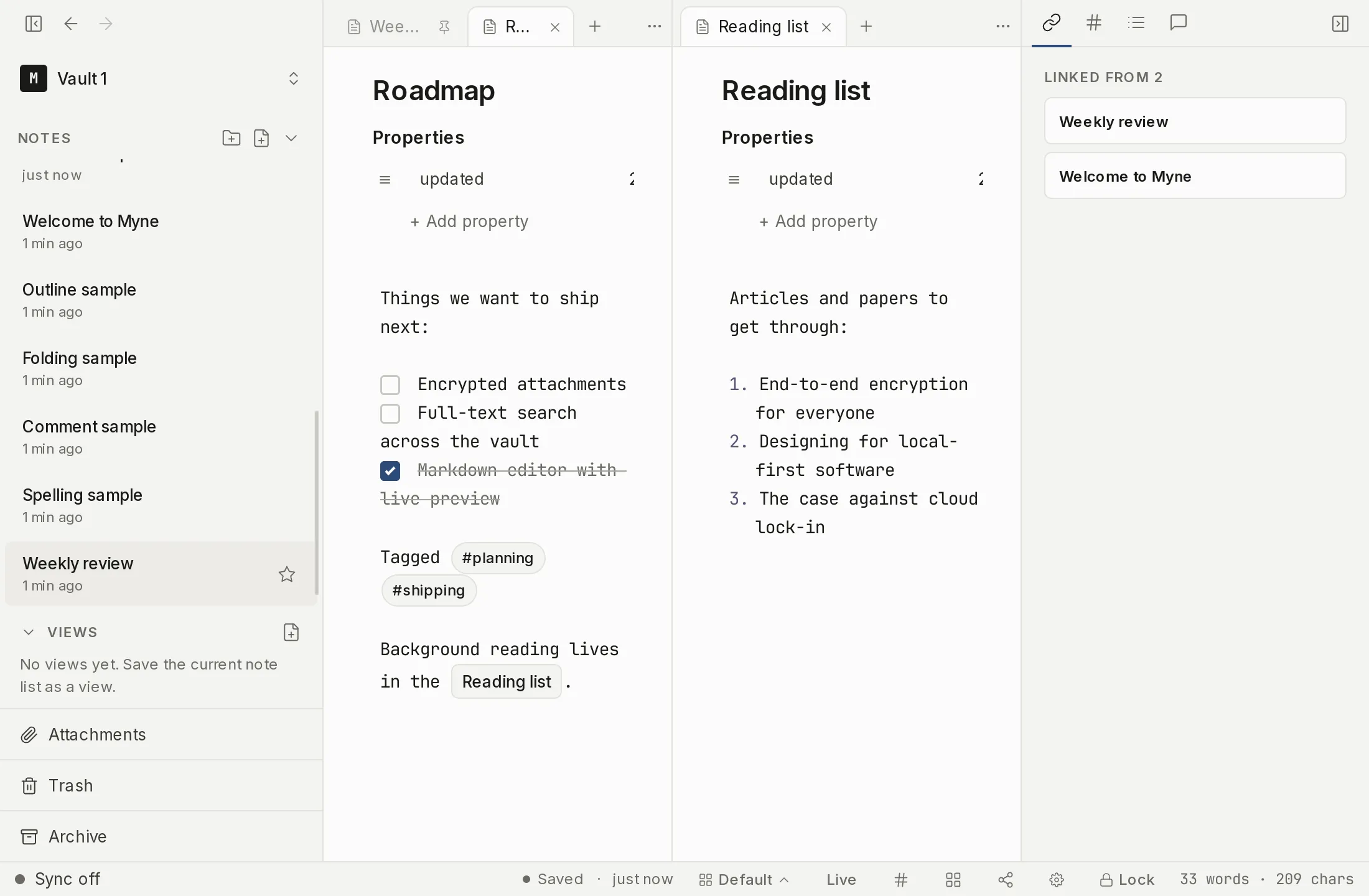
Opening the panel and finding the tab
The editor’s right panel is a multi-tab surface. It holds Links, Unlinked mentions, Outline and Tasks, plus the AI chat tab, with one tab shown at a time.
- If the right panel is hidden, show it with the sidebar toggle in the title bar, or run Toggle backlinks sidebar from the command palette.
- Along the top of the panel is a strip of tabs. Each tab is an icon; hover to read its label. Click the Links tab to make it the active one.
You can drag the tabs to reorder them, and right-click the strip to hide a tab or restore a hidden one. If you hide every tab, right-click the empty strip to bring them back.
The Links tab
The tab is called Links in the tab strip, and it has two halves.
The top half is headed Linked from N, where N is the number of notes that link to the one you’re reading; each row is a linking note, with a count beside it when it links here more than once. Below that, Links to N lists the notes this one links out to, in the same shape. Click any row to open that note.
When nothing links here, the first half reads No backlinks yet. When this note links to nothing, the second reads This note doesn’t link to anything yet.
Both lists refresh as you work: add a link in another note and this note’s Linked from list updates to match.
What it shows
Each row names a note; it does not show a snippet of where the link sits. Both lists are built from the link index Myne already holds — titles and counts — so opening the tab does not decrypt the notes it lists. A note linking to itself appears in neither half, since a link is always between two notes. Links from notes in the Trash don’t count, because trashed notes are set aside. A backlink from an archived note still resolves and carries a small archive badge, so you can tell its source lives in the Archive rather than the working set.
Limits
Both halves follow resolved wikilinks only: a link to a note that doesn’t exist yet creates no backlink, and it is left out of Links to as well, because there is nothing to open (see Wikilinks). So Links to is not a list of everything you wrote in brackets — it is the subset that points somewhere. Links are within the current vault.