Deleting a vault removes it from your device for good. This is irreversible, so Myne makes you confirm deliberately. This article covers how it works and what “for good” really means.
Deleting
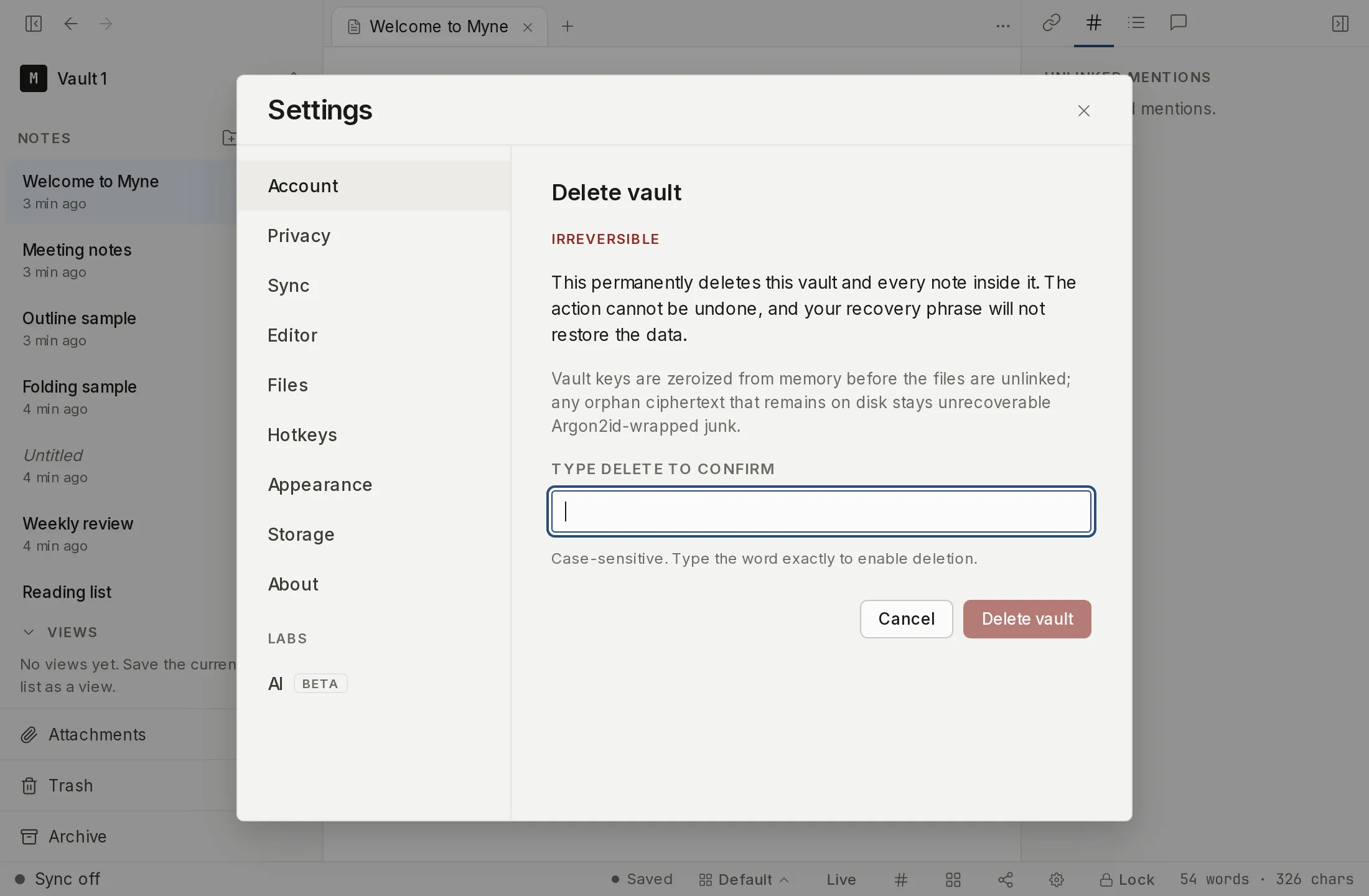
From Settings → Account, choose Delete vault. To confirm, you type DELETE; there is no single-click delete, on purpose. When you confirm, Myne wipes the vault’s keys from memory first, then removes its files. Wiping the keys before unlinking is what makes the deletion final: even the encrypted bytes left for an instant are unrecoverable without the keys, which are already gone. Deletion also ends any quick unlock you set up on this device. The device-local quick-unlock file lives inside the vault folder, so removing the vault removes it too, and quick unlock stops working from that point on. An item your operating system’s keychain still holds for it may remain there, but with the file gone it has nothing left to unwrap, so the next unlock takes the master-password path. Deleting a vault is one of the things that invalidates its quick unlock.
If some files can’t be removed in the moment, such as a permissions or lock issue, Myne lets you continue, and any leftover unreadable fragments are handled by Clean up leftover files.
What deletion means
A deleted vault cannot be undone, and your recovery phrase will not bring it back. The phrase unlocks a vault; it does not recreate one that no longer exists on disk. Once the files are gone and the keys are wiped, there is nothing left to unlock.
Two smaller things go with the vault. If this device had stored that vault’s name for the lock screen, deletion destroys the key that name was sealed under and removes the stored copy, so the name cannot be read back here. And the neutral placeholders the picker shows for vaults it has no name for are numbered in a fixed order, so deleting a vault moves every vault that sorted after it down by one, turning a Vault 3 into a Vault 2. See Vault names on the lock screen.
One thing deletion does not reach: your backups. A .myne-backup you exported before deleting still contains the whole vault, and restoring it brings the vault back. Deleting the live vault does nothing to copies you have already made. That is the safety net if you delete something you shouldn’t have, and the thing to remember if you meant the deletion to be complete.
In a browser
In a browser this is a different operation, and the screen says so: the heading reads Sign out and erase this browser’s copy, not Delete vault. What it removes is Myne’s copy of the vault held in that browser. The app states the bound in full: “This erases Myne’s copy of your vault from this browser only. Your account and everything already synced stay on the server, and signing in here again brings them back. It is not an account deletion and not a remote wipe. Anything this browser has not synced yet is lost for good.”
The reason is that a browser’s copy is a cache of a vault the sync server holds, never the only copy, which is what the rest of this article assumes. If what you want is the permanent deletion described above, do it from the desktop app.
Limits
Deletion is about the live vault on this device. To be sure a vault is truly gone, account for any backups of it as well: delete those too, or keep them deliberately. Other vaults are untouched, and deleting one vault never affects another.