The Devices section of Settings → Sync lists the devices connected to your account and lets you approve pending ones or remove ones you no longer want syncing. Before removing a device, it is worth being precise about what removal does and does not do — the honest answer is narrower than “kick it off,” and this page states it plainly.
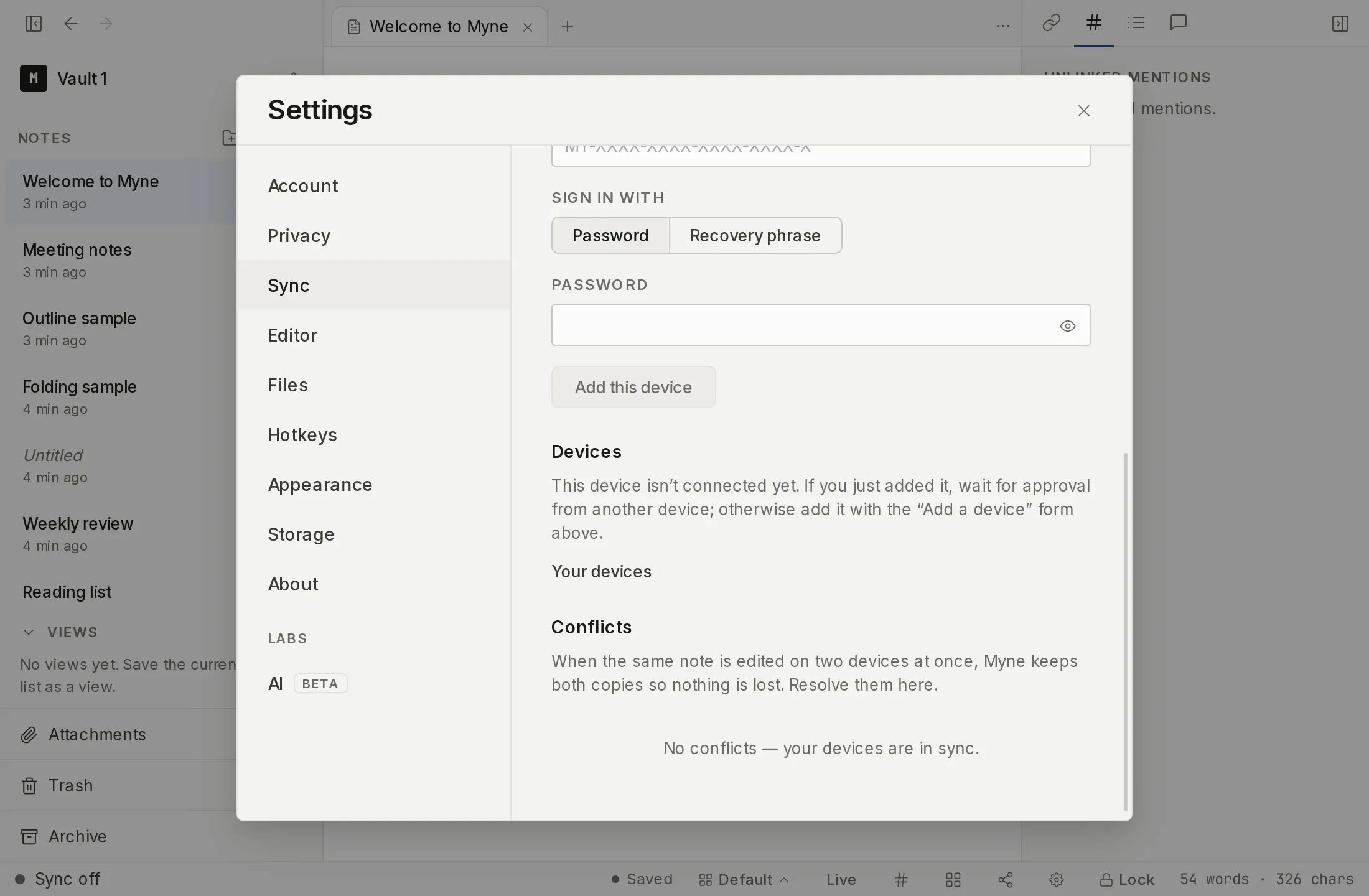
The device list
Under Settings → Sync → Devices, you see:
- Your devices — the approved devices on the account. The one you are using is marked This device. Each shows an editable name, which it was given when it was added; a device enrolled before names existed falls back to a short name derived from its identifier. The Rename action on a row turns the name into an editable field in place: Enter saves it, Esc cancels.
- Awaiting approval — devices that have connected with a password and are waiting for an existing device to approve them. Approving one starts the verification-code compare described in Add a device.
Removing a device
Removing a device revokes its sync access: the server stops syncing to it. That is the whole of what removal does. It is not a remote wipe, and it does not lock a device that already has your vault and password — that device keeps whatever it already synced. Remove a device you no longer use to stop it receiving further updates, but do not treat removal as a way to reach into a lost or stolen device.
To remove a device, find it under Your devices and choose the Remove action on its row. Myne asks to confirm first — “Remove this device from sync?” — and restates what removal does before you commit: it revokes that device’s sync access, so the server stops syncing to it, and it does not lock a device that already has your vault and password. Choose Remove to confirm, or Cancel. The device you are using shows no remove action against itself.
When a device was removed elsewhere
If this device was removed from your account on another device, its sync will start being refused, and the Devices panel says so and offers Reset and re-add this device. Resetting clears this device’s stale sync credentials so you can add it again from scratch.
Recovered notes
When a note you deleted on another device is removed here to match, Myne keeps this device’s encrypted copy under Settings → Sync → Recovered notes instead of discarding it, so a deletion that reached you by sync is not the last word. Each entry offers Preview to read it, Restore to bring it back as a new note, and Delete to remove it for good.
Deleting a recovered note is permanent. It is the only copy kept on this device, it does not go to Trash, and it cannot be undone — Myne says so in the confirmation before you commit.
Resetting sync on this device
If sync is refused for a reason retrying cannot fix (a rejected credential, a frozen account, an account at its device limit, or a device stuck waiting for an approval that is not coming), the panel offers Reset sync on this device. A device waiting on an approval has no other way out: while the enrolment looks live, the Add a device form stays hidden, so resetting is what returns it to a state where it can be added again. This clears the device’s local sync token and its sync baseline so it can be re-added. It never touches your notes and makes no changes on the server: it only resets this device’s local sync state.
When sync fails for a reason a reset cannot fix, the panel names it in plain words rather than an error code. The line reads “Couldn’t reach sync (the server didn’t answer).” or “Couldn’t reach sync (the account is frozen).”, with a plain-language phrase for each reason the backend can tell apart, and a neutral one for anything it cannot.
One of those reasons is a certificate that did not pass the check. The panel reads “Couldn’t verify the sync server’s HTTPS connection”, and the remedy is about the server: check the address and that its certificate is valid. There is no fingerprint to paste and no re-trust step. Server certificates covers what the check does and does not prove. For a server that did not answer at all, the panel says the more cautious thing: the server may have moved, and re-entering the server URL under Sync server is how you point the device at a new address.
Limits
Removing a device is an availability control, not a cryptographic one. Because Myne’s keys have no forward secrecy, revoking a device’s sync token cannot cryptographically claw back the notes it already holds, and there is no remote wipe — a removed or compromised device retains whatever it synced before removal. If a device is lost and you are worried about its contents, rely on its own device lock and your vault’s auto-lock, and change your password if you believe your credentials are exposed. The at-rest strength of your vault does not depend on the sync token: the token authorises a device to sync, it does not wrap or unlock your notes.